Core HR
Approvals & Workflows
Leave, overtime, corrections, expenses, requests and disciplinary actions all route through the same approval chain and land in the same place.
How it is used
One queue for everything waiting on a decision. Workflows set who approves what, so the queue routes itself rather than depending on who happens to be looking.
How it works, screen by screen
Every screen below is the real one, photographed from a working tenant, with the route it lives at so you can go straight to it.
- 01
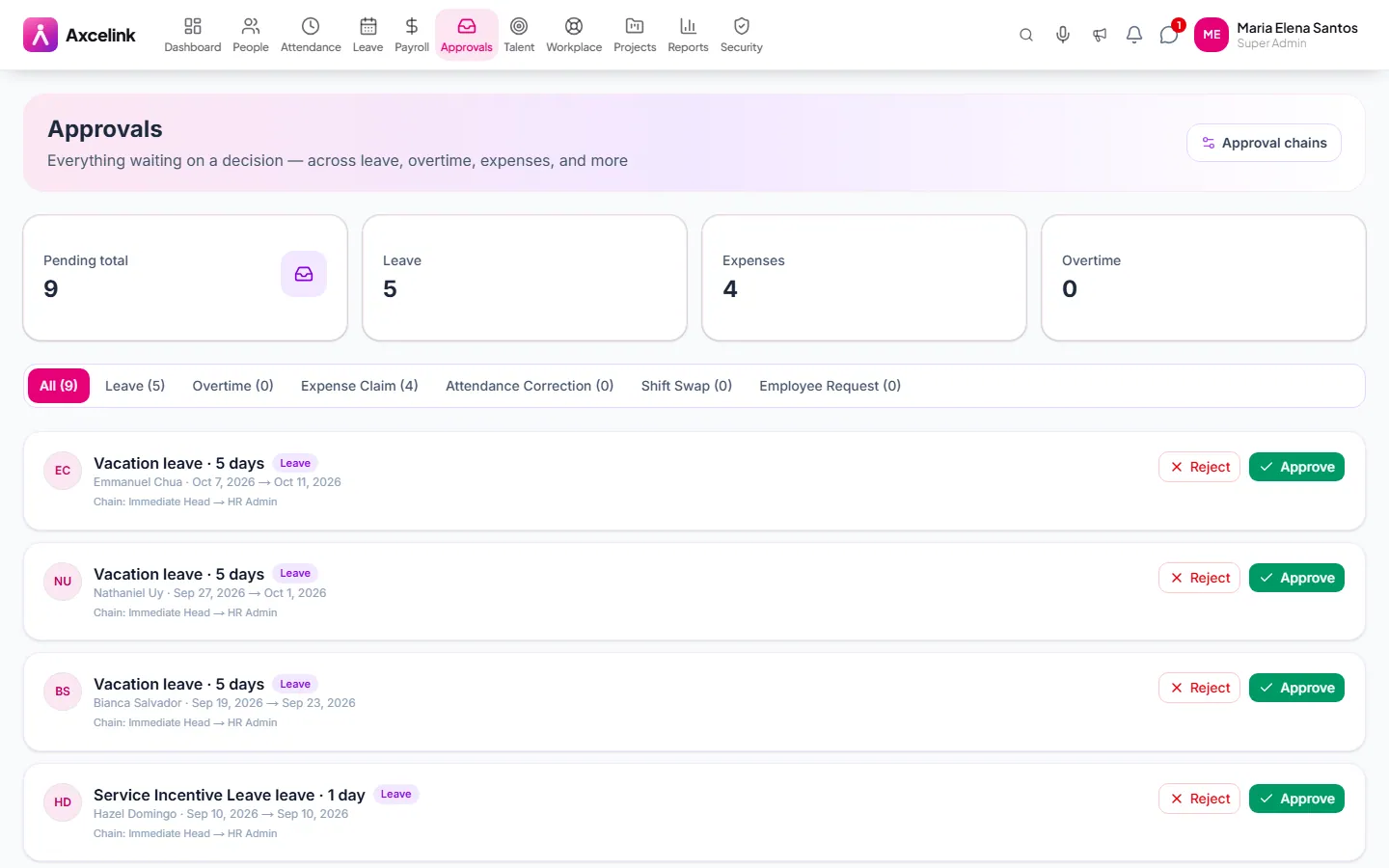
Work one queue, not five inboxes
/admin/approvalsLeave, overtime, expenses, regularisation and document requests all queue here, each shown with the figures needed to decide it — remaining credits, hours, amounts.
- 02
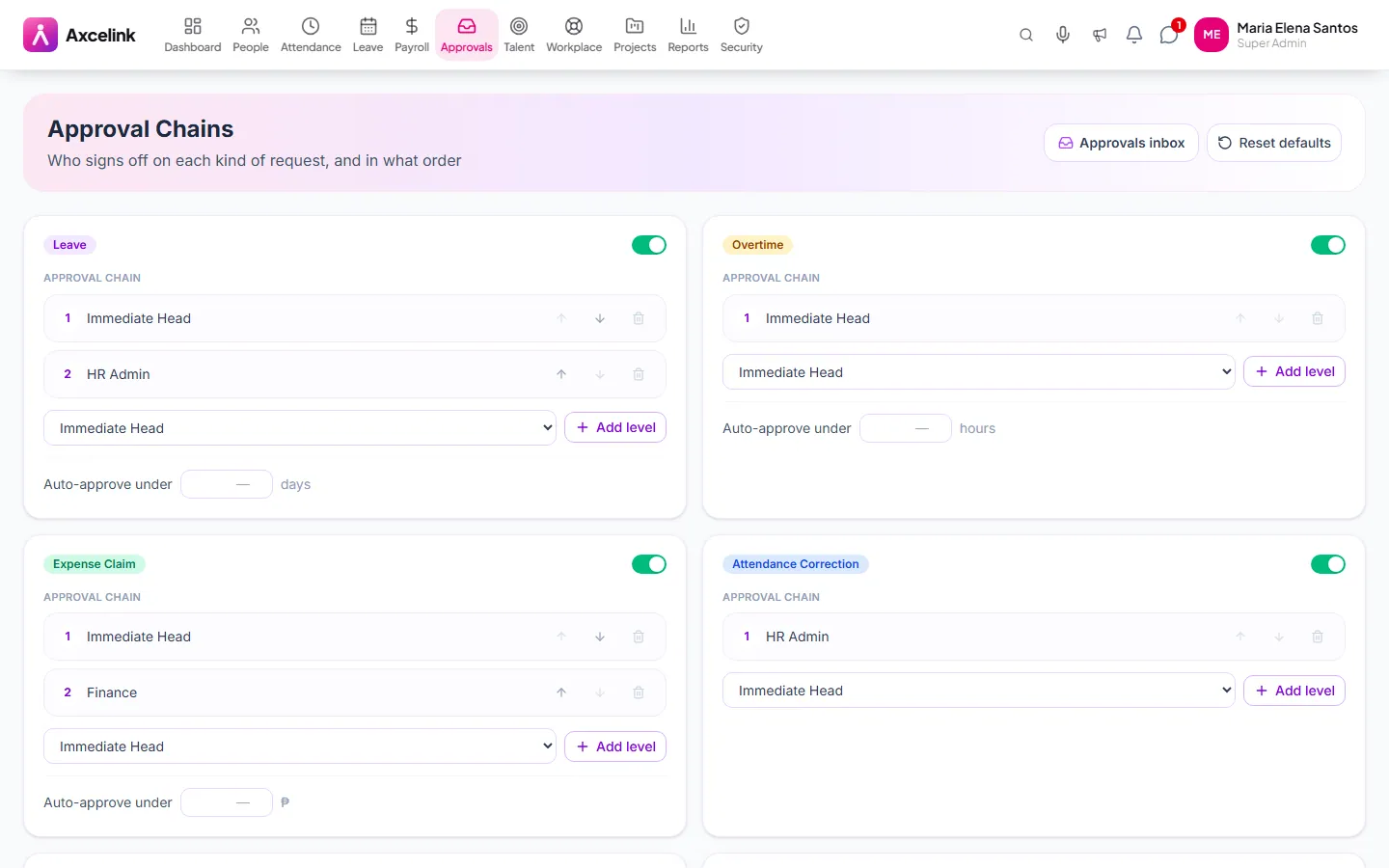
Set who approves what
/admin/workflowsAn approval chain is ordered steps. Once it is set the request routes itself to the next approver, rather than waiting for whoever happens to be looking at the queue.
What it does
- A single inbox across all six approval types
- Multi-step approval chains with defined approvers
- Delegation while an approver is away
- Reminders on anything left sitting
- Full decision history with who decided and when
- Approve or reject in bulk
Where to find it
Administrators
- /admin/approvals
- /admin/requests
- /admin/workflows
What staff see
- /employee/requests
How it connects to the rest
Nothing below is an integration to switch on. These are the same records, read and written by more than one module.
Comes from
Feeds into
Looking for what this replaces and why it matters? See the Approvals & Workflows overview.