Core HR
Reports & Analytics
Because every module writes to the same record, headcount, attrition, cost and utilisation are computed rather than compiled — no month-end assembly, no reconciling two versions.
How it is used
Reads from every other module rather than keeping its own numbers, which is why a correction made in payroll or attendance shows here without anything being re-run.
How it works, screen by screen
Every screen below is the real one, photographed from a working tenant, with the route it lives at so you can go straight to it.
- 01
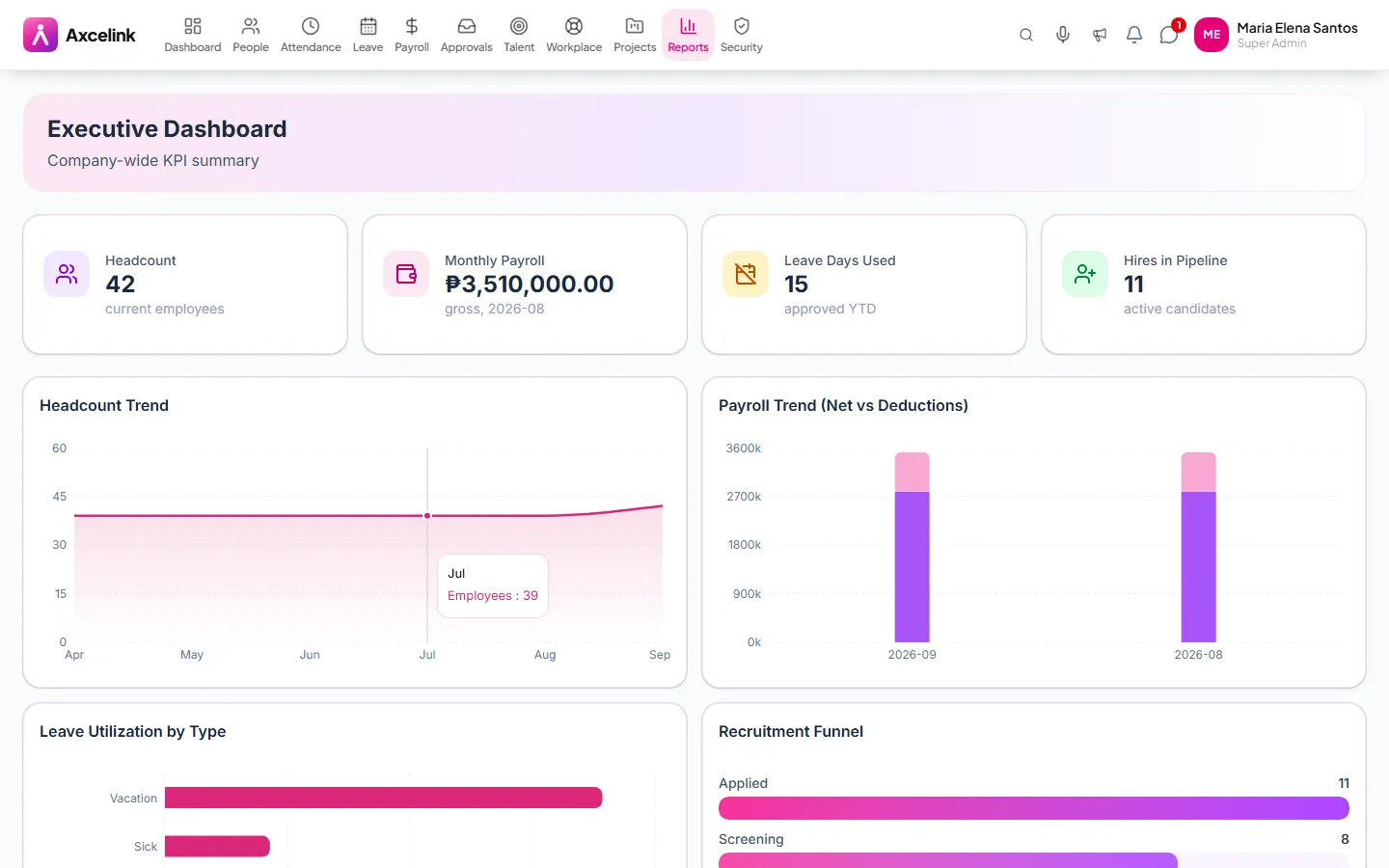
Read the company on one screen
/admin/reports/executiveHeadcount, payroll cost, attendance rate and the period's movement — computed from the modules that already hold them, so there is nothing to compile first.
- 02
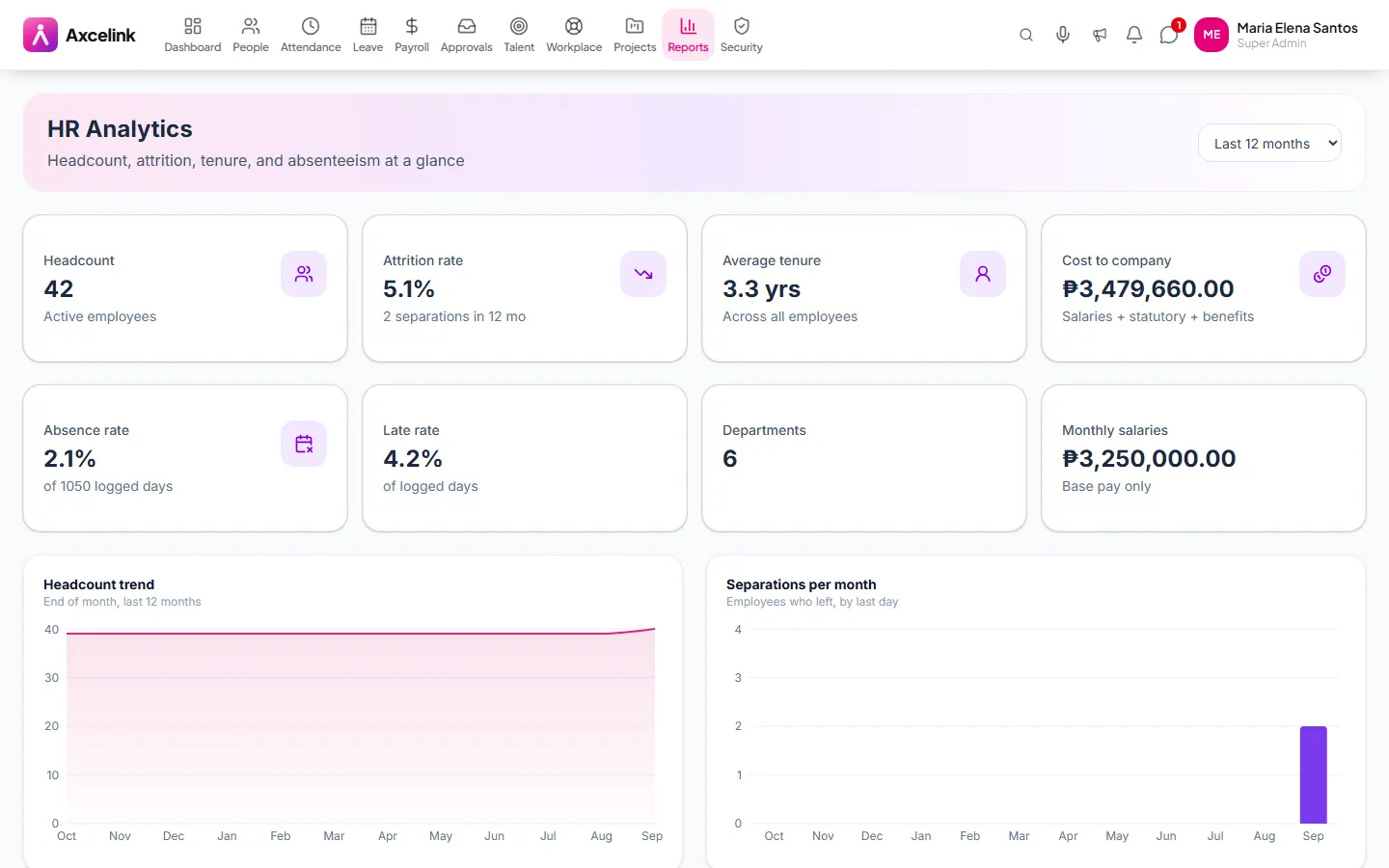
Trace attrition and tenure
/admin/reports/analyticsAttrition, tenure distribution and cost by department come off the same records. A correction made in payroll or attendance shows here without anything being re-run.
What it does
- Executive dashboard — headcount, cost, attendance and cost per head
- HR analytics: attrition, tenure, demographics, movement
- Attendance and leave utilisation reporting
- Payroll cost breakdowns by department and period
- Export to spreadsheet for anything further
- Date-ranged, so a period can be re-run exactly
Where to find it
Administrators
- /admin/reports
- /admin/reports/analytics
- /admin/reports/executive
- /admin/reports/payroll
- /admin/reports/productivity
How it connects to the rest
Nothing below is an integration to switch on. These are the same records, read and written by more than one module.
Comes from
Looking for what this replaces and why it matters? See the Reports & Analytics overview.