Work & Platform
Employee Relations
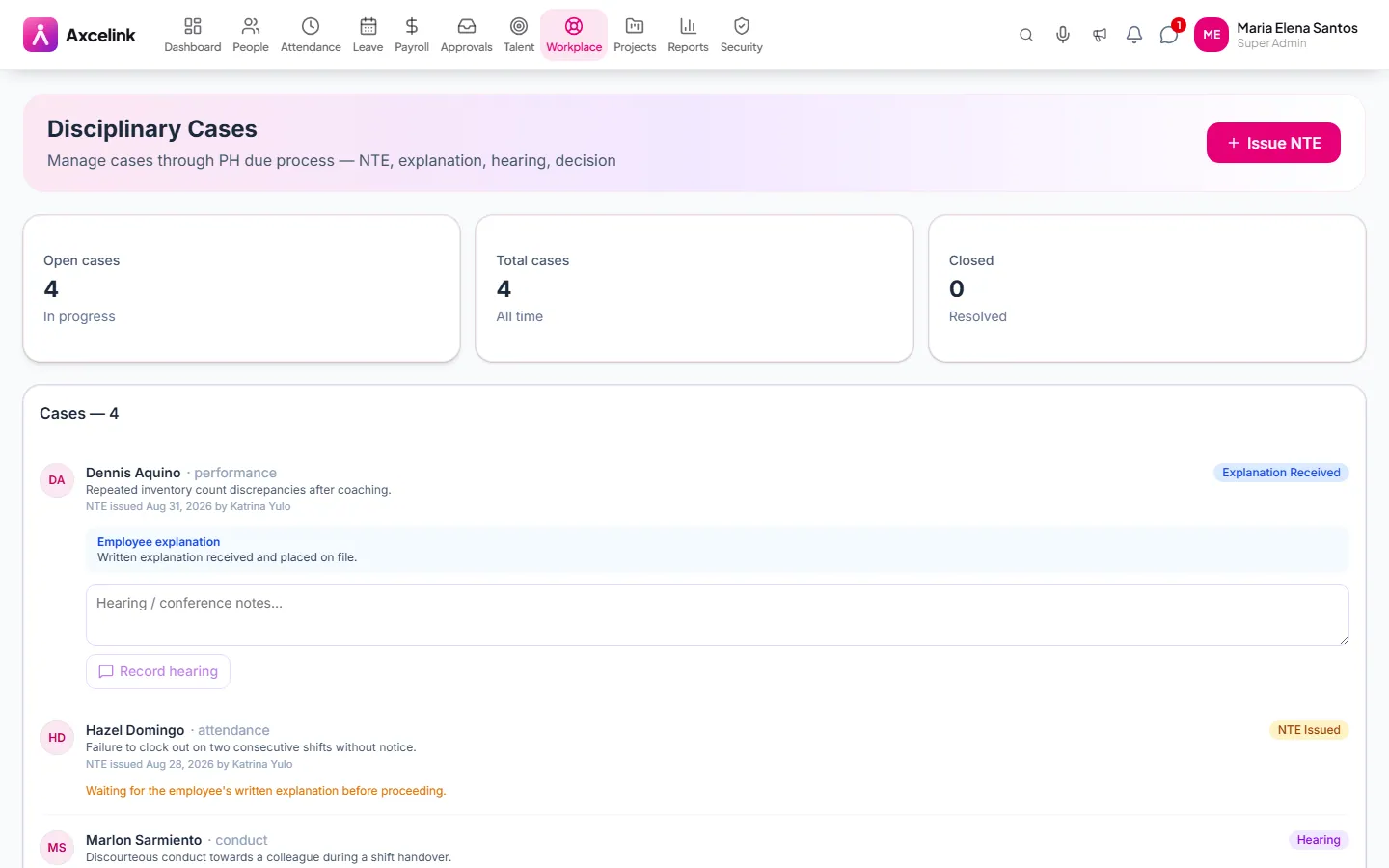
Disciplinary cases follow the Philippine twin-notice requirement step by step, and each step is recorded as it happens rather than reconstructed if it is ever challenged.
How it is used
Disciplinary cases with their paper trail attached. The employee can see what concerns them, which is the part that makes the record defensible.
How it works, screen by screen
Every screen below is the real one, photographed from a working tenant, with the route it lives at so you can go straight to it.
- 01
Follow the twin-notice process
/admin/disciplinaryEach case shows where it stands: notice to explain, explanation received, hearing, decision. Keeping that order, with dates, is what makes the outcome defensible later.
- 02
Approve claims with the receipt attached
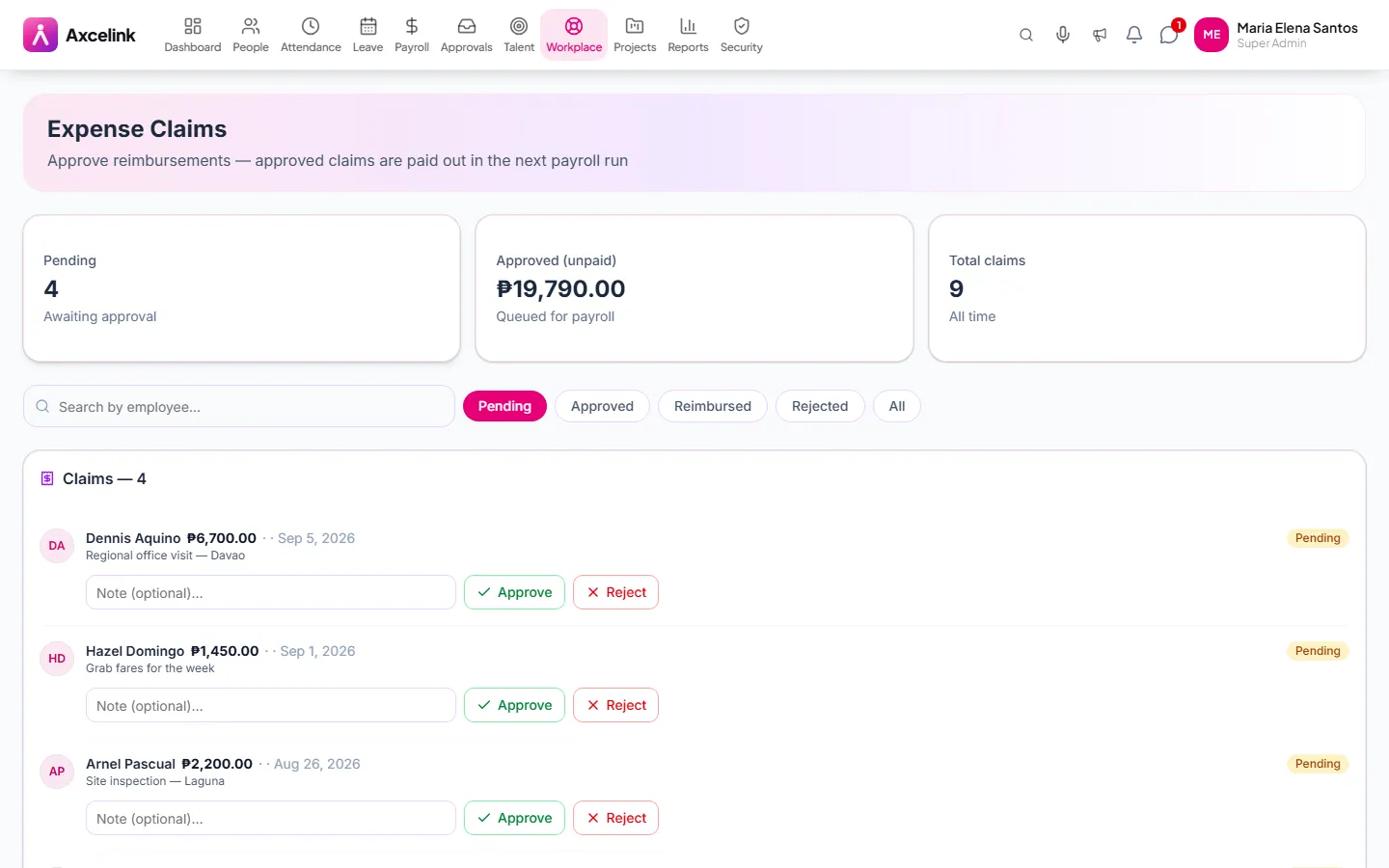
/admin/expensesA claim carries its own receipt, and an approved claim reaches payroll as a reimbursement line rather than as a note to add one.
- 03
Prove the policy was acknowledged
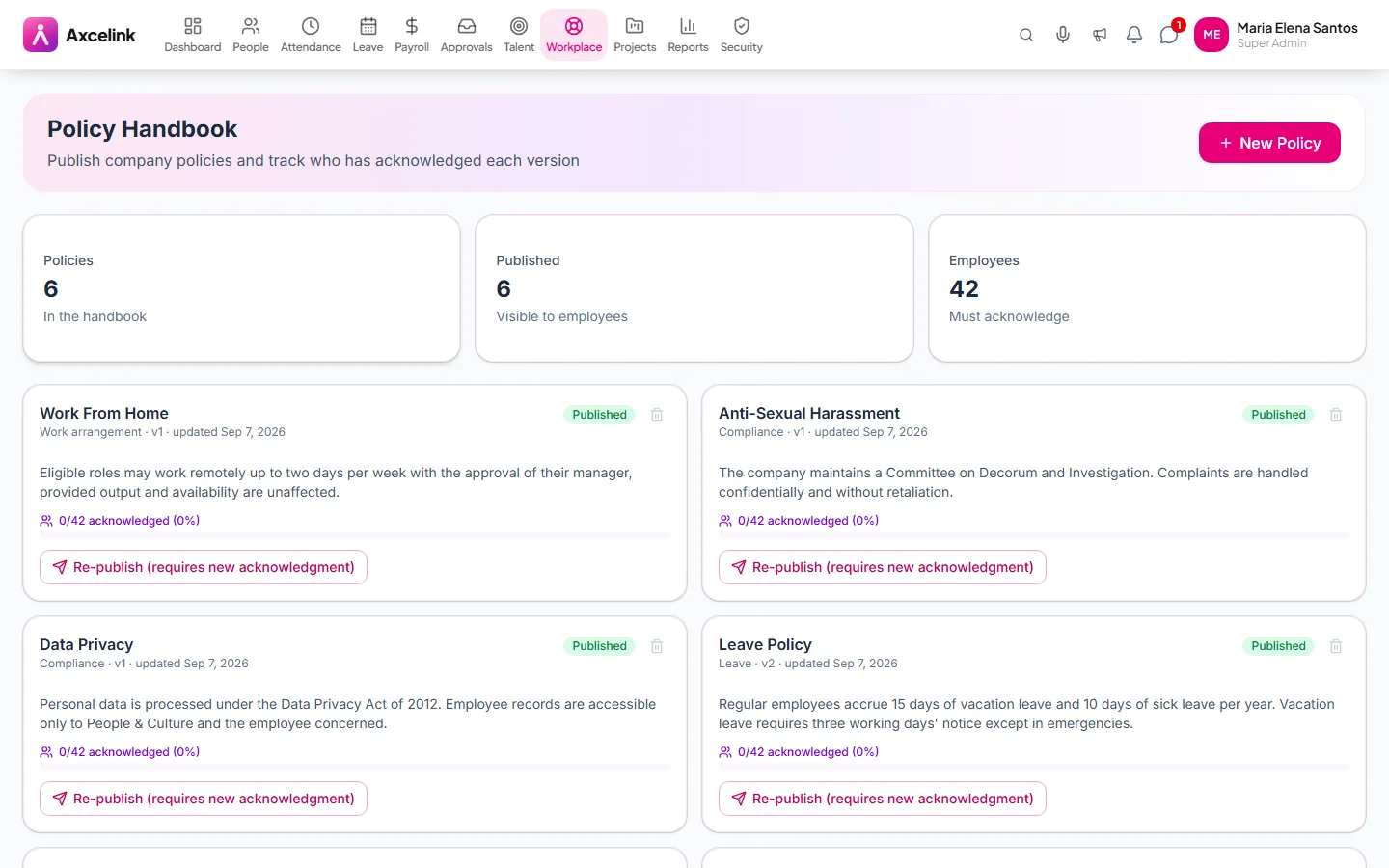
/admin/policiesAcknowledgement per employee, per policy. It is unremarkable until a case needs it, and then it is the whole argument.
What it does
- Employee requests routed for approval
- Expense claims with receipts and reimbursement through payroll
- Company policies with acknowledgement tracking
- Disciplinary cases following the twin-notice rule
- Notice to Explain, explanation, hearing and decision, each recorded
- Sanctions and case closure kept on the record
Where to find it
Administrators
- /admin/disciplinary
What staff see
- /employee/disciplinary
How it connects to the rest
Nothing below is an integration to switch on. These are the same records, read and written by more than one module.
Comes from
Feeds into
Looking for what this replaces and why it matters? See the Employee Relations overview.