Time & Pay
Leave Management
Service Incentive Leave accrues from the hire date on the record. Applications route for approval, and an approval is what moves the balance and the payroll deduction — not a second manual step.
How it is used
Balances accrue from the hire date on the 201 file. Approved leave reaches payroll and attendance without being entered again in either.
How it works, screen by screen
Every screen below is the real one, photographed from a working tenant, with the route it lives at so you can go straight to it.
- 01
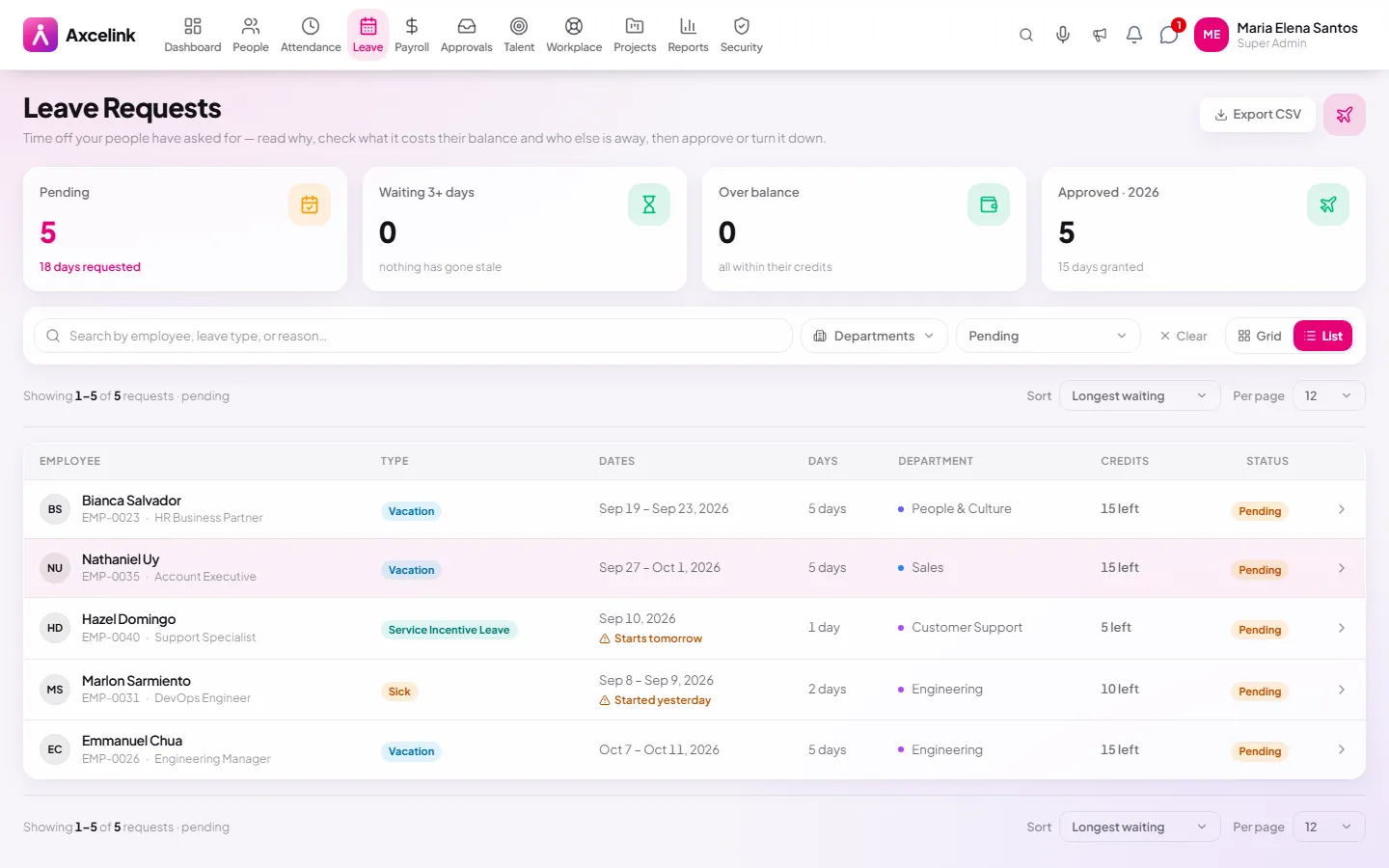
Decide with the balance in view
/admin/leave/approvalsEach application shows the credits it would draw and what is left after. Approving does not need a second screen, which is most of why leave sits unanswered elsewhere.
- 02
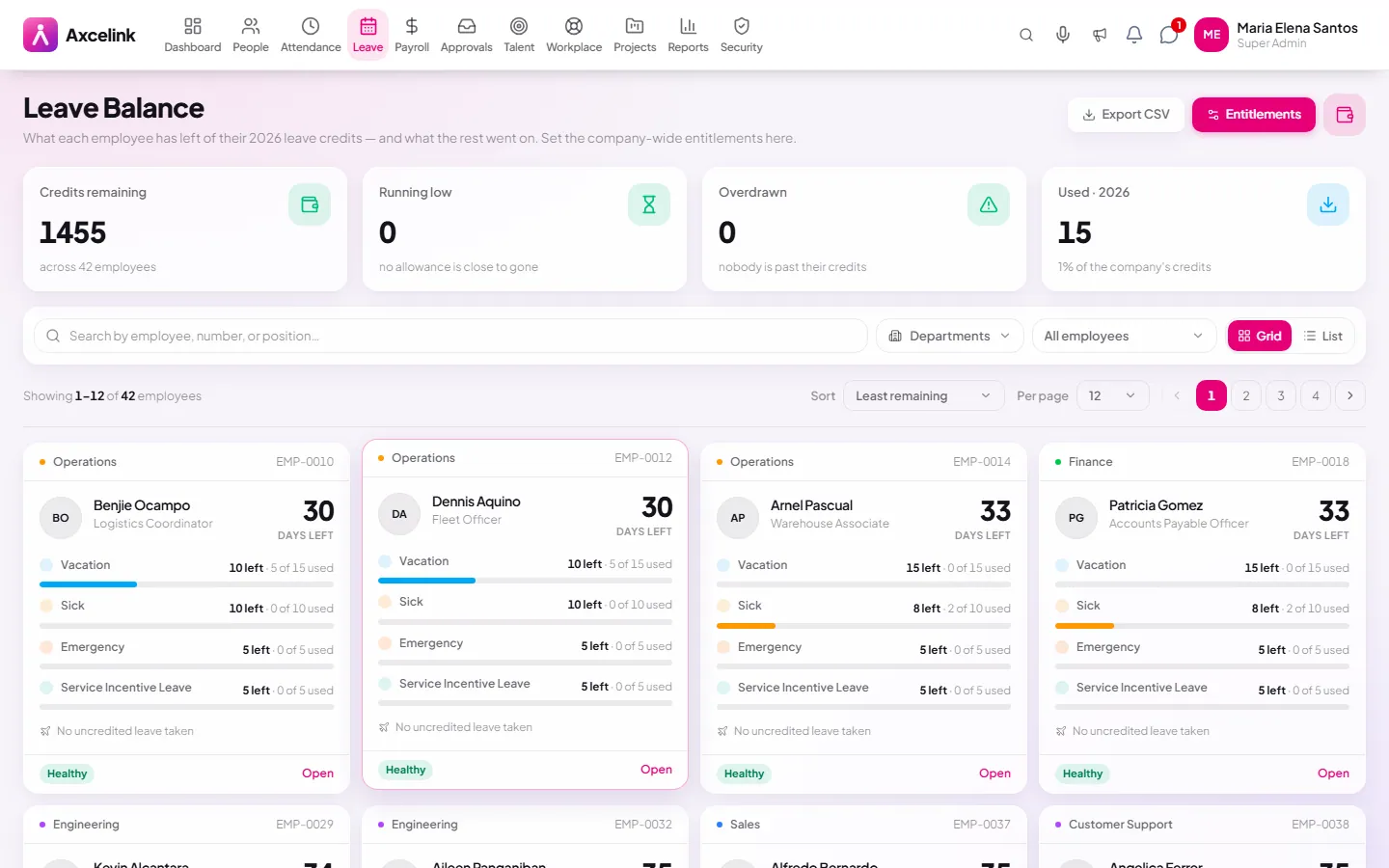
Credits accrue from the hire date
/admin/leave/balanceAccrued, used and remaining per leave type, counted from the hire date on the 201 file. Approved leave reaches payroll and attendance without being entered again in either.
What it does
- Service Incentive Leave accrual per the Labor Code
- Leave types with their own rules and entitlements
- Application, approval and cancellation flows
- Live balance per employee, with the accrual trail
- Leave history and utilisation
- Approved leave drawn on the company calendar
Where to find it
Administrators
- /admin/leave
- /admin/leave/approvals
- /admin/leave/balance
- /admin/leave/history
What staff see
- /employee/leave
- /employee/leave/balance
- /employee/leave/history
How it connects to the rest
Nothing below is an integration to switch on. These are the same records, read and written by more than one module.
Comes from
Feeds into
Looking for what this replaces and why it matters? See the Leave Management overview.