Core HR
Onboarding & Offboarding
Onboarding is a checklist whose output is a populated 201 file. Offboarding is the same in reverse — clearance, asset return and final pay, with nothing left open.
How it is used
A checklist per joiner and per leaver, with the clearance and final-pay steps tracked on the offboarding side so nothing is signed off twice or missed once.
How it works, screen by screen
Every screen below is the real one, photographed from a working tenant, with the route it lives at so you can go straight to it.
- 01
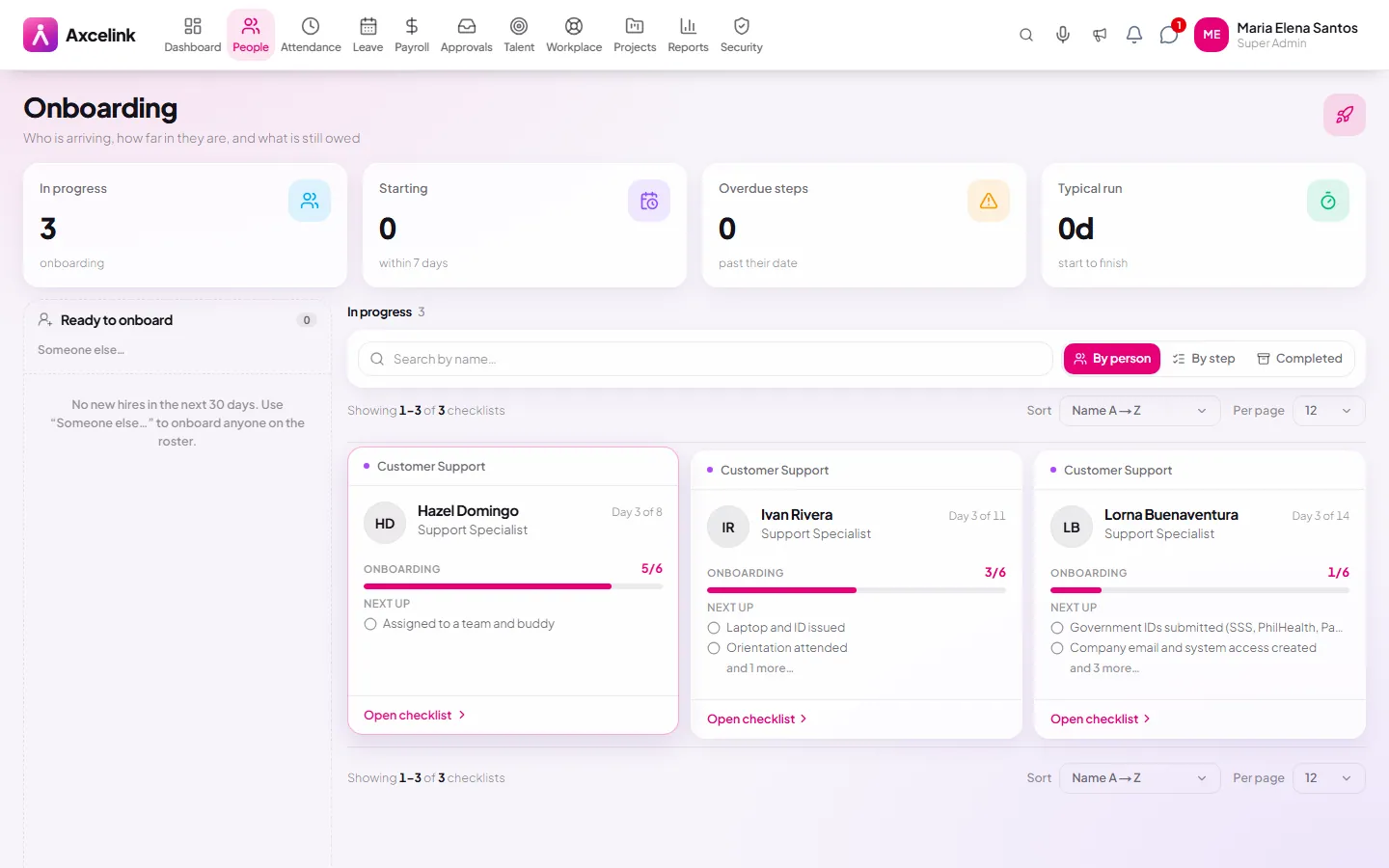
Assign the joining checklist
/admin/employees/onboardingEach task carries an owner — HR, IT, the hiring manager — and a due date read off the start date. The joiner's first day stops depending on somebody remembering the list.
- 02
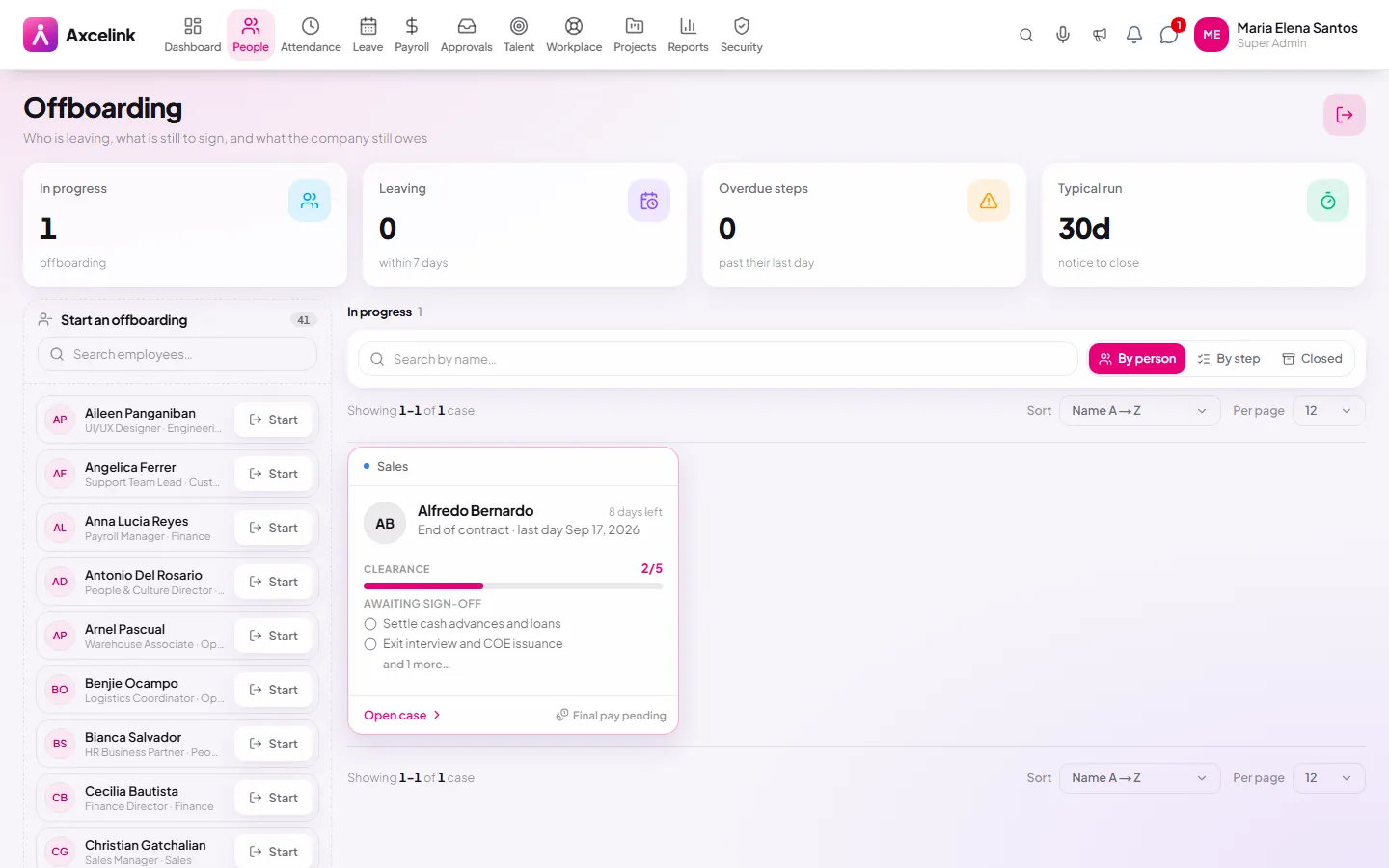
Clear the leaver, department by department
/admin/employees/offboardingSign-offs and asset returns are tracked per department, so final pay is held while a clearance step is still open rather than released and chased afterwards.
What it does
- Onboarding checklists with owners and due dates
- Document collection tracked to completion
- Automatic account and 201 file creation on completion
- Offboarding clearance across departments
- Asset return checked off against what was issued
- Exit dates that stop payroll and attendance cleanly
Where to find it
Administrators
- /admin/employees/onboarding
- /admin/employees/offboarding
How it connects to the rest
Nothing below is an integration to switch on. These are the same records, read and written by more than one module.
Comes from
Feeds into
Looking for what this replaces and why it matters? See the Onboarding & Offboarding overview.