Time & Pay
Attendance & Time
Punches land live. Lates, undertime, missing clock-outs and unplanned overtime surface as exceptions in the hour they occur, not at cutoff when it is too late to ask.
How it is used
Staff punch in and out; the exceptions queue holds anything the system could not settle on its own — a missing clock-out, hours past the shift — and a month cannot be approved while one is open.
How it works, screen by screen
Every screen below is the real one, photographed from a working tenant, with the route it lives at so you can go straight to it.
- 01
See the floor as it stands
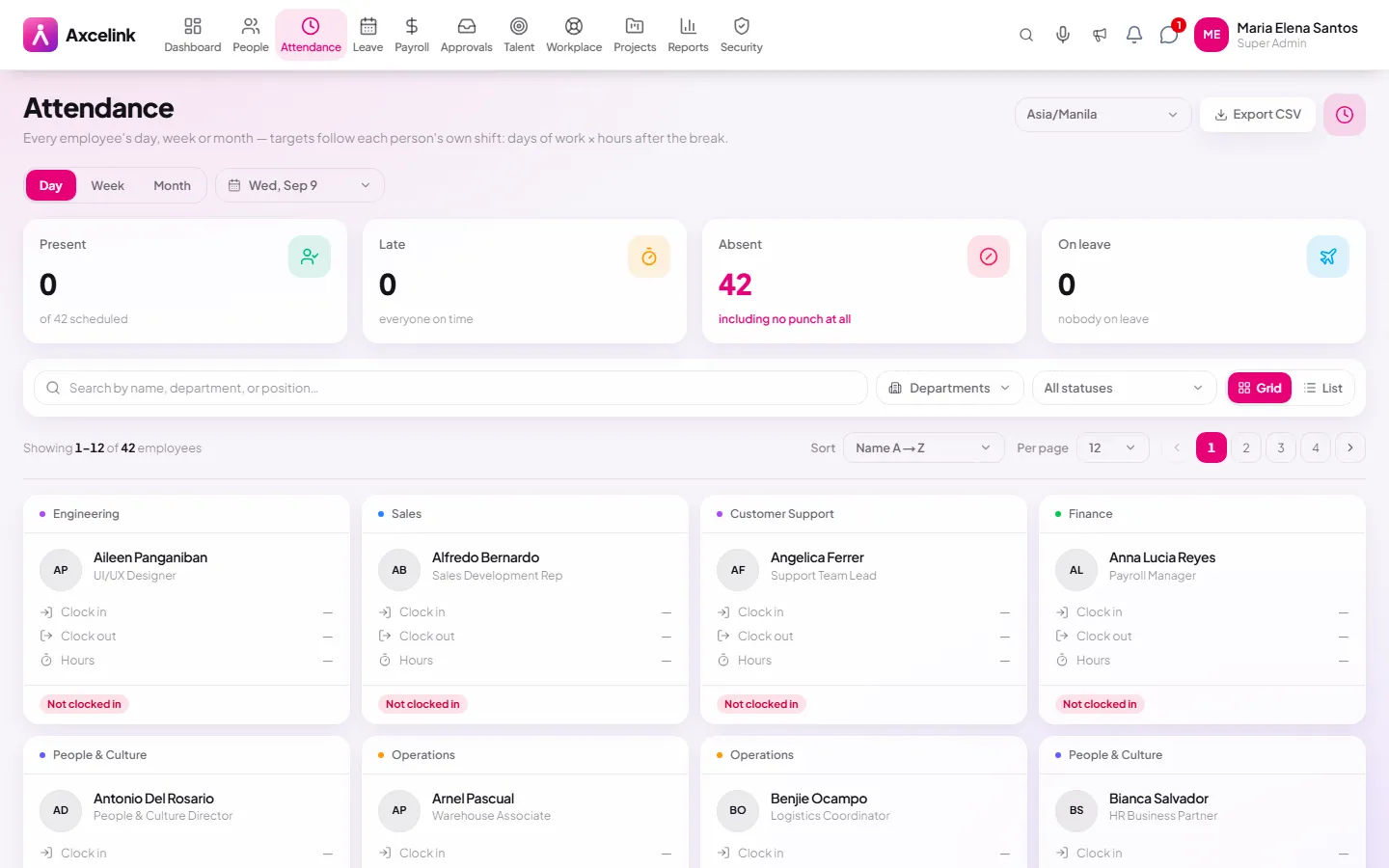
/admin/attendanceWho is in, who is late, who has not punched at all — today, not yesterday's export. The counts at the top are the board's own rows, so they agree with it by construction.
- 02
Every punch is kept
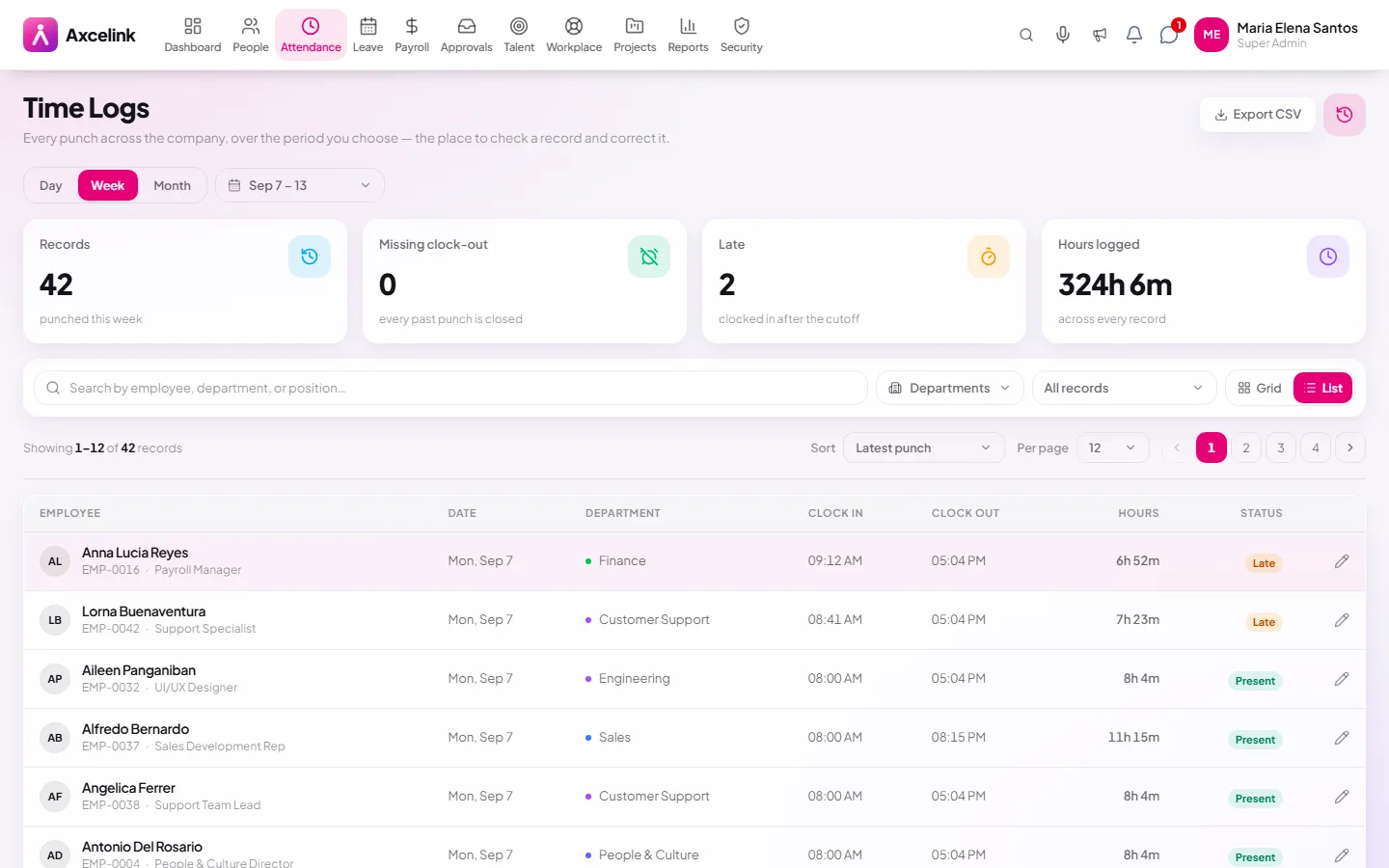
/admin/attendance/time-logsEach punch and the hours it computes to stays on the record, with late, undertime, overtime and night differential worked out against the assigned shift. A correction is filed and adjudicated — never written over the original.
- 03
Settle what the system cannot
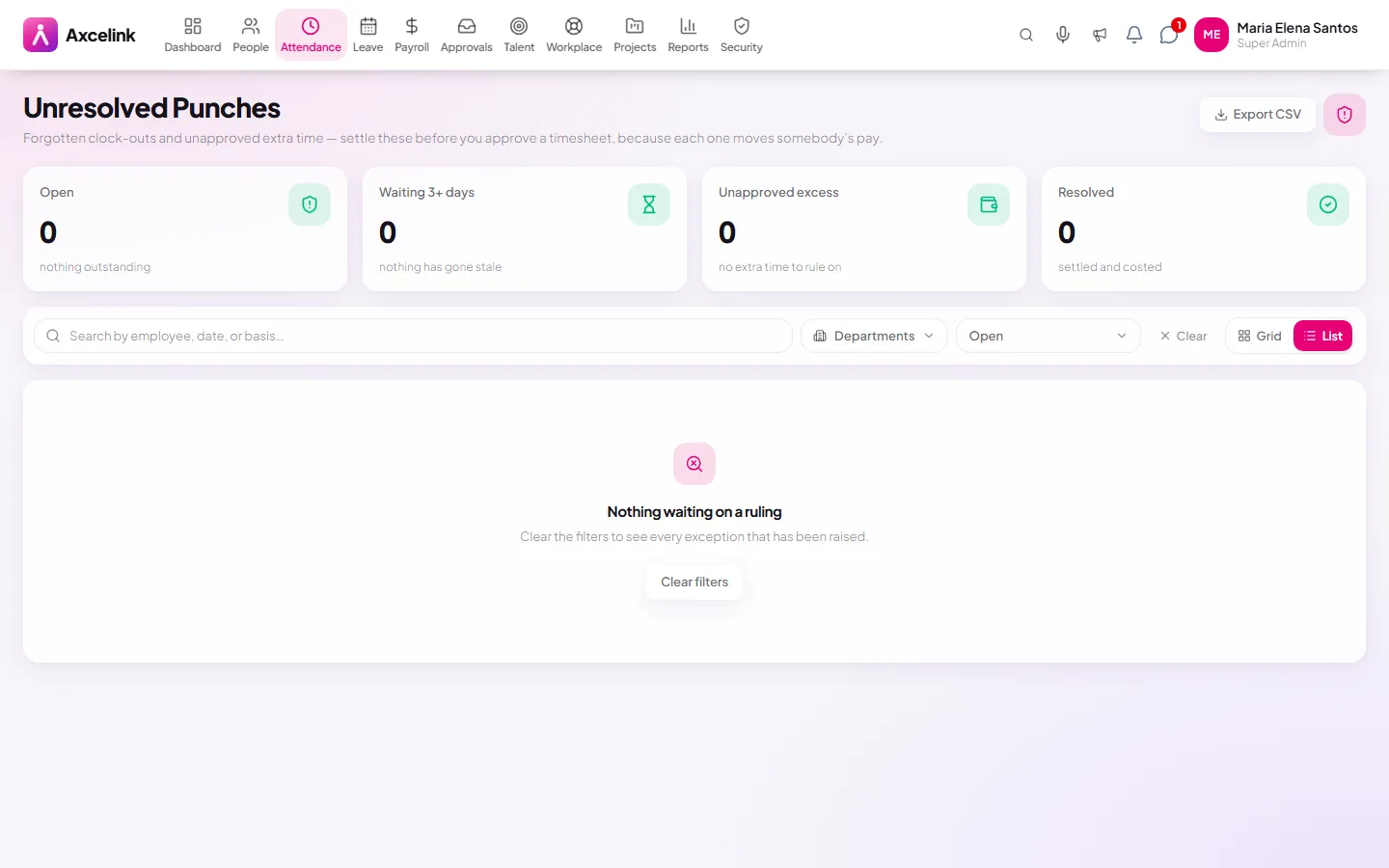
/admin/attendance/exceptionsA missing clock-out, or hours past the shift, lands in exceptions. A cutoff cannot be approved while one is open, which is the step that stops payroll running on a broken timesheet.
What it does
- Live daily attendance across the whole company
- Time logs with the full punch trail per employee
- Punch exceptions raised as they happen
- Correction requests filed by employees, routed for approval
- Overtime filing and approval before it is paid
- Timesheet review and lock per period
- Per-employee clock-on toggle owned by the company owner
Where to find it
Administrators
- /admin/attendance
- /admin/attendance/time-logs
- /admin/attendance/timesheets
- /admin/attendance/exceptions
- /admin/attendance/overtime
- /admin/attendance/regularization
What staff see
- /employee/attendance
- /employee/attendance/regularization
How it connects to the rest
Nothing below is an integration to switch on. These are the same records, read and written by more than one module.
Comes from
Feeds into
Looking for what this replaces and why it matters? See the Attendance & Time overview.