Core HR
Documents, Contracts & COE
Certificates of employment, contracts and letters are generated from the 201 file rather than retyped — so they are correct by construction, and the file remembers it issued them.
How it is used
Attach documents to the employee they belong to, with expiry dates where they matter. Letters are generated from templates so a COE reads the same whoever issues it.
How it works, screen by screen
Every screen below is the real one, photographed from a working tenant, with the route it lives at so you can go straight to it.
- 01
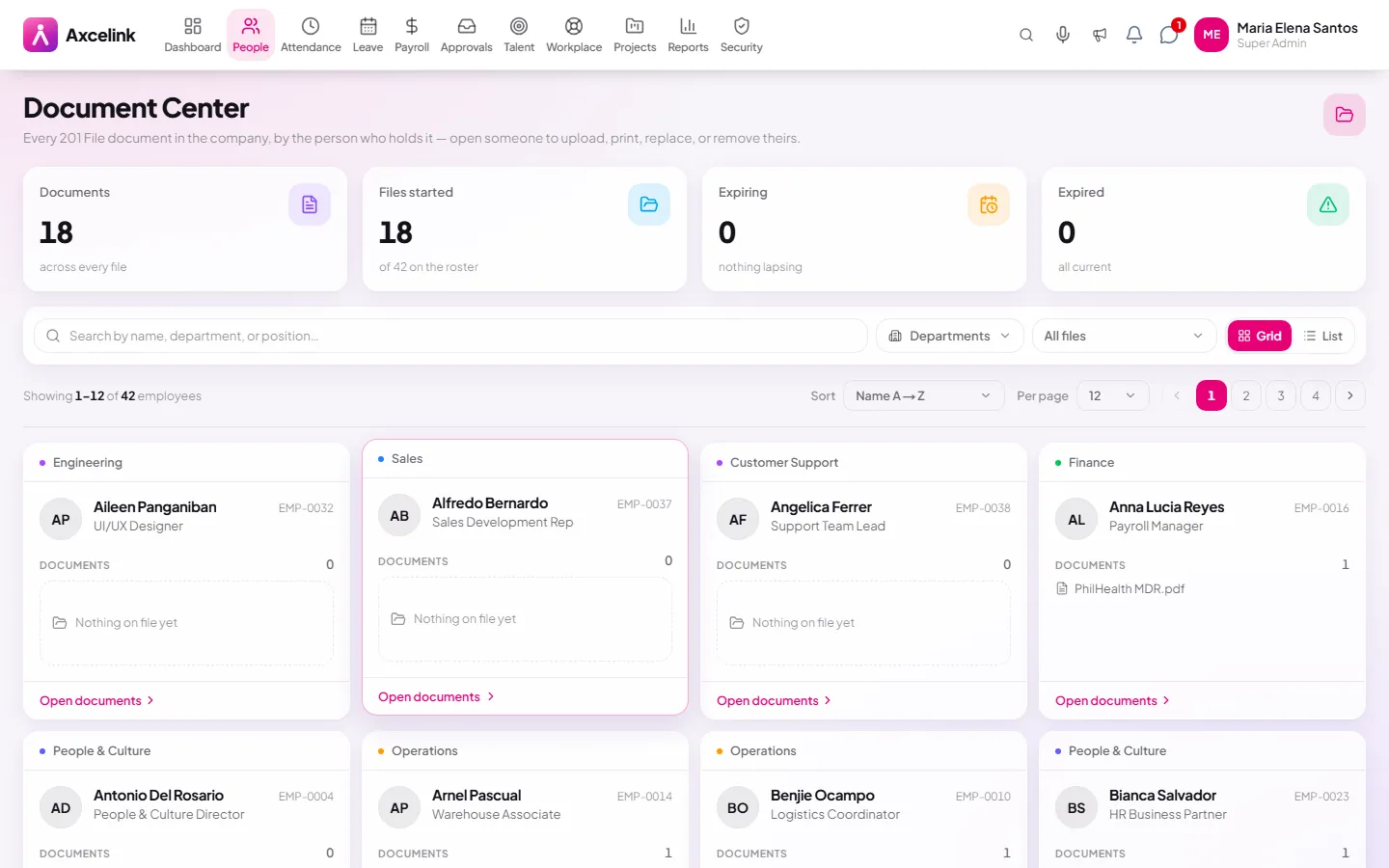
File documents on the person
/admin/employees/documentsContracts, IDs and clearances are attached to the employee they belong to, with expiry dates where they matter — so an expiring permit is a list you can open, not a surprise.
- 02
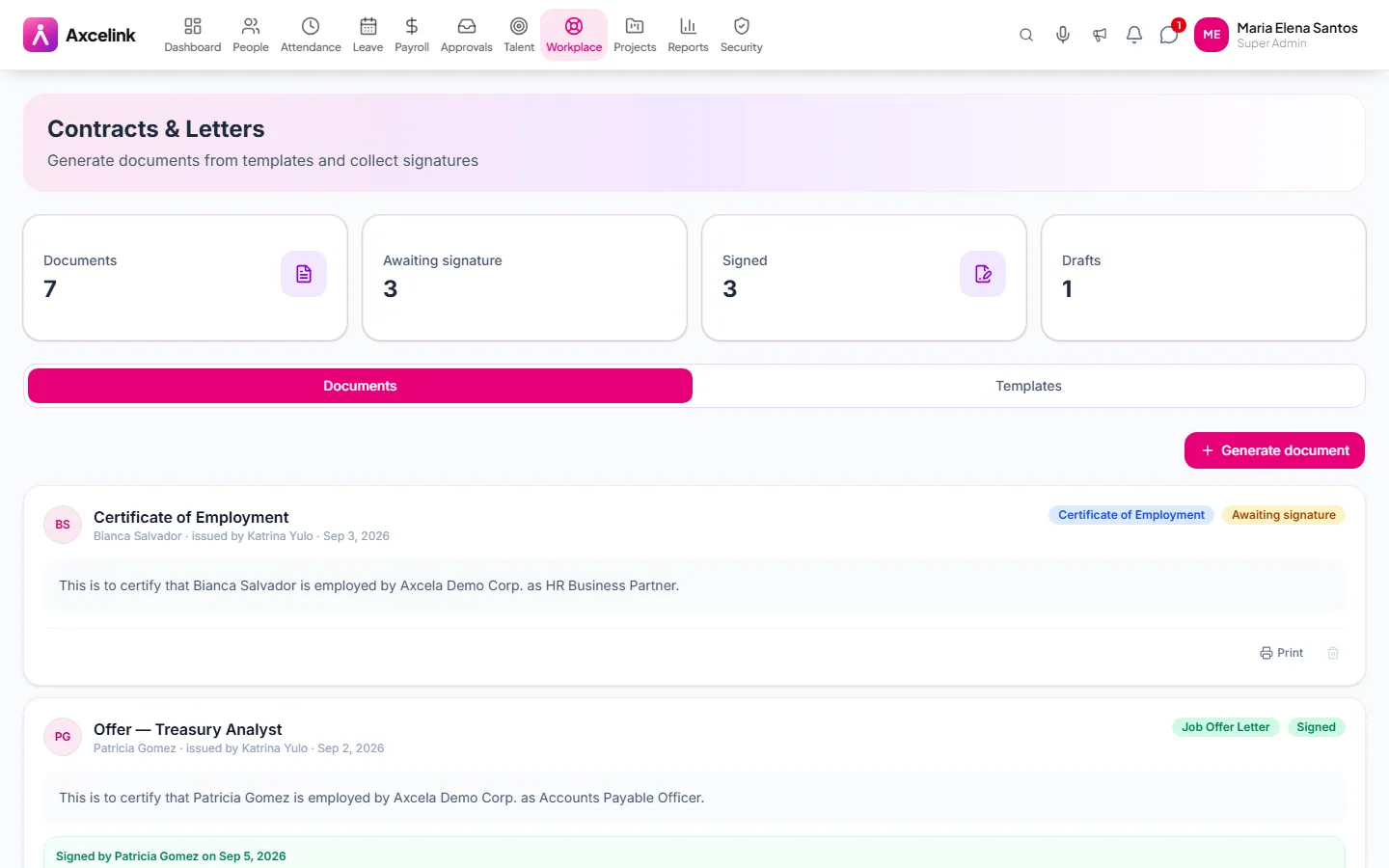
Generate the letter from the record
/admin/lettersA certificate of employment, contract or memo is produced from a template filled by the 201 file. Whoever issues it, the dates and figures in it are the ones on record.
What it does
- Certificate of employment generated from live record data
- Contract and letter templates with merge fields
- Document storage per employee, with versions
- Expiry tracking for contracts, permits and IDs
- Reminders before anything lapses
- Employee self-service download of their own documents
Where to find it
Administrators
- /admin/employees/documents
- /admin/letters
- /admin/policies
What staff see
- /employee/letters
- /employee/policies
How it connects to the rest
Nothing below is an integration to switch on. These are the same records, read and written by more than one module.
Comes from
Feeds into
Looking for what this replaces and why it matters? See the Documents, Contracts & COE overview.