Talent
Recruitment
A candidate who accepts becomes an employee record without re-entry — the pipeline's last stage is onboarding, not a fresh form.
How it is used
Job posts feed a public careers page. A candidate who accepts becomes an employee record without being typed in a second time.
How it works, screen by screen
Every screen below is the real one, photographed from a working tenant, with the route it lives at so you can go straight to it.
- 01
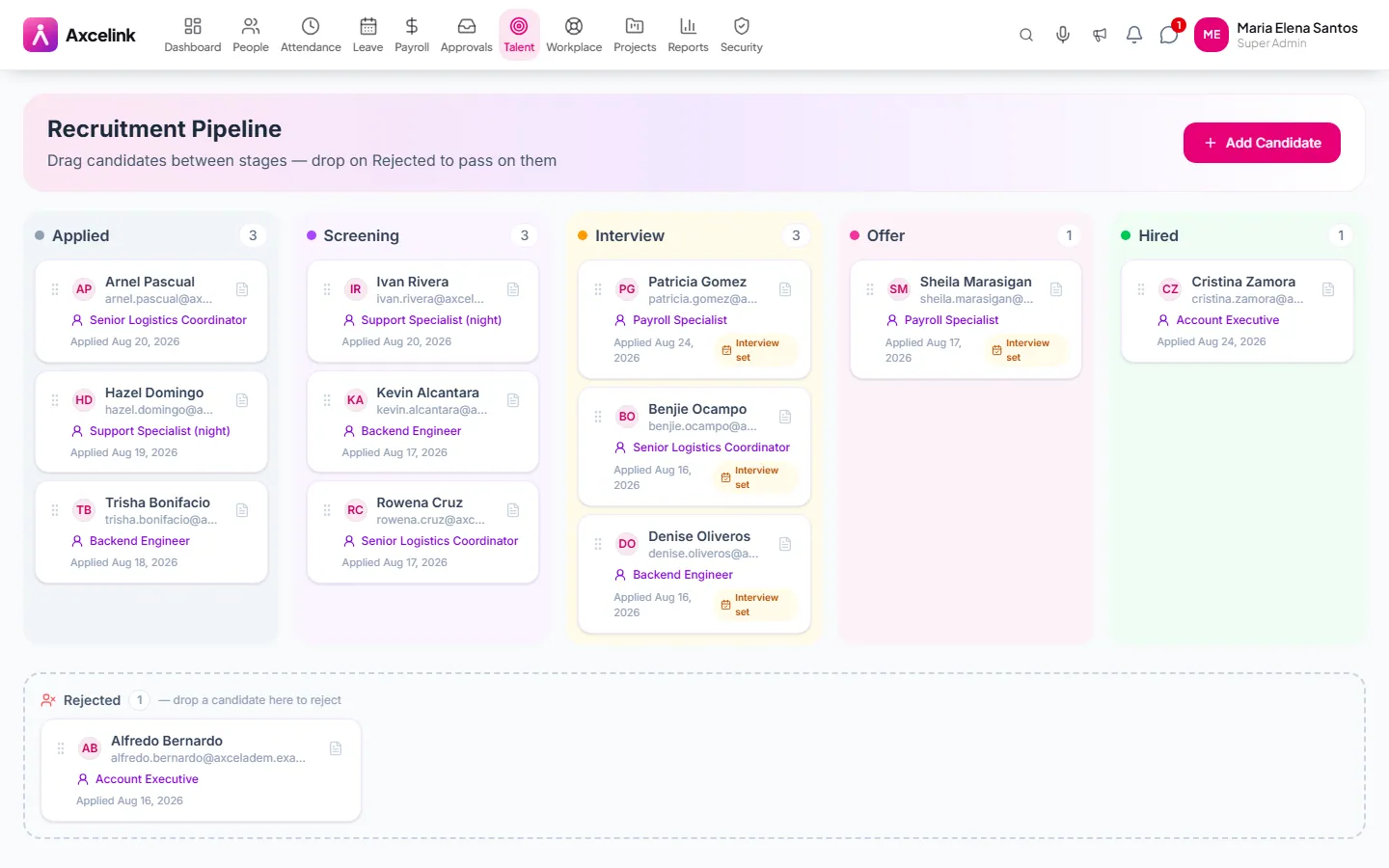
Move candidates by stage
/admin/recruitment/pipelineApplied, screened, interviewed, offered. The board is the pipeline itself, so moving a card is the record of what happened and when.
- 02
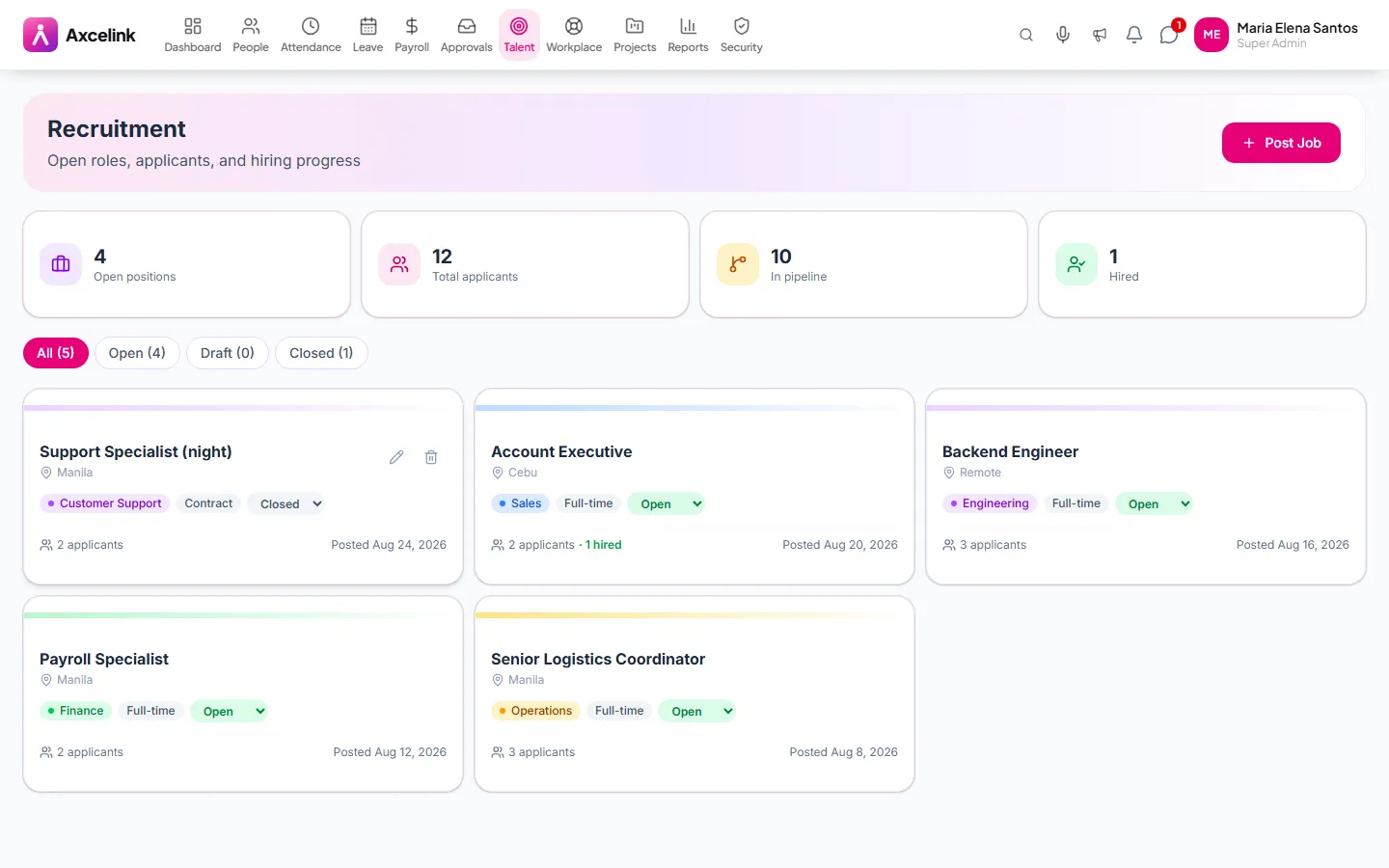
Publish the opening
/admin/recruitmentDescription, requirements and the count of applicants against it — which makes a role nobody is applying to visible in the first week instead of the second month.
- 03
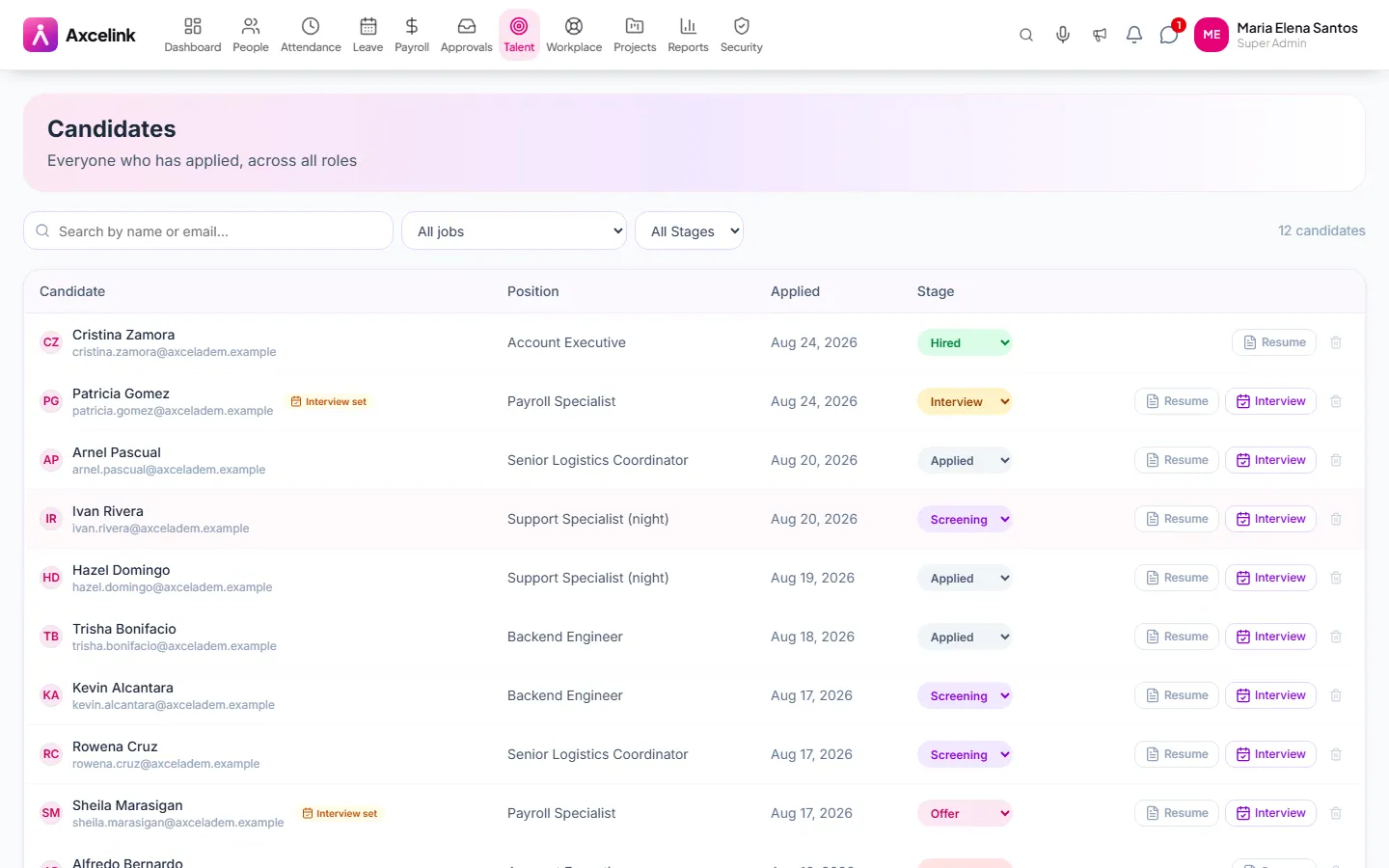
Keep the evidence together
/admin/recruitment/candidatesCV, interview notes and scorecards on one candidate record. The candidate who accepts becomes the 201 file without being re-keyed.
What it does
- Job listings with a public careers page
- Candidate pipeline by stage, drag to advance
- Applications, CVs and notes on one candidate record
- Interview scheduling with panel invitations
- Scorecards and hiring decisions kept together
- Internal mobility — existing employees can apply
- Accepted offers hand straight to onboarding
Where to find it
Administrators
- /admin/recruitment
- /admin/recruitment/pipeline
- /admin/recruitment/candidates
- /admin/recruitment/interview
How it connects to the rest
Nothing below is an integration to switch on. These are the same records, read and written by more than one module.
Comes from
Feeds into
Looking for what this replaces and why it matters? See the Recruitment overview.