Talent
Engagement & eNPS
Pulse surveys run anonymously and score to eNPS over time, so a decline shows up as a trend rather than as an exit interview.
Available on Enterprise — not included on lower plans.
How it is used
Surveys and recognition. Responses are aggregated for reporting rather than shown per person.
How it works, screen by screen
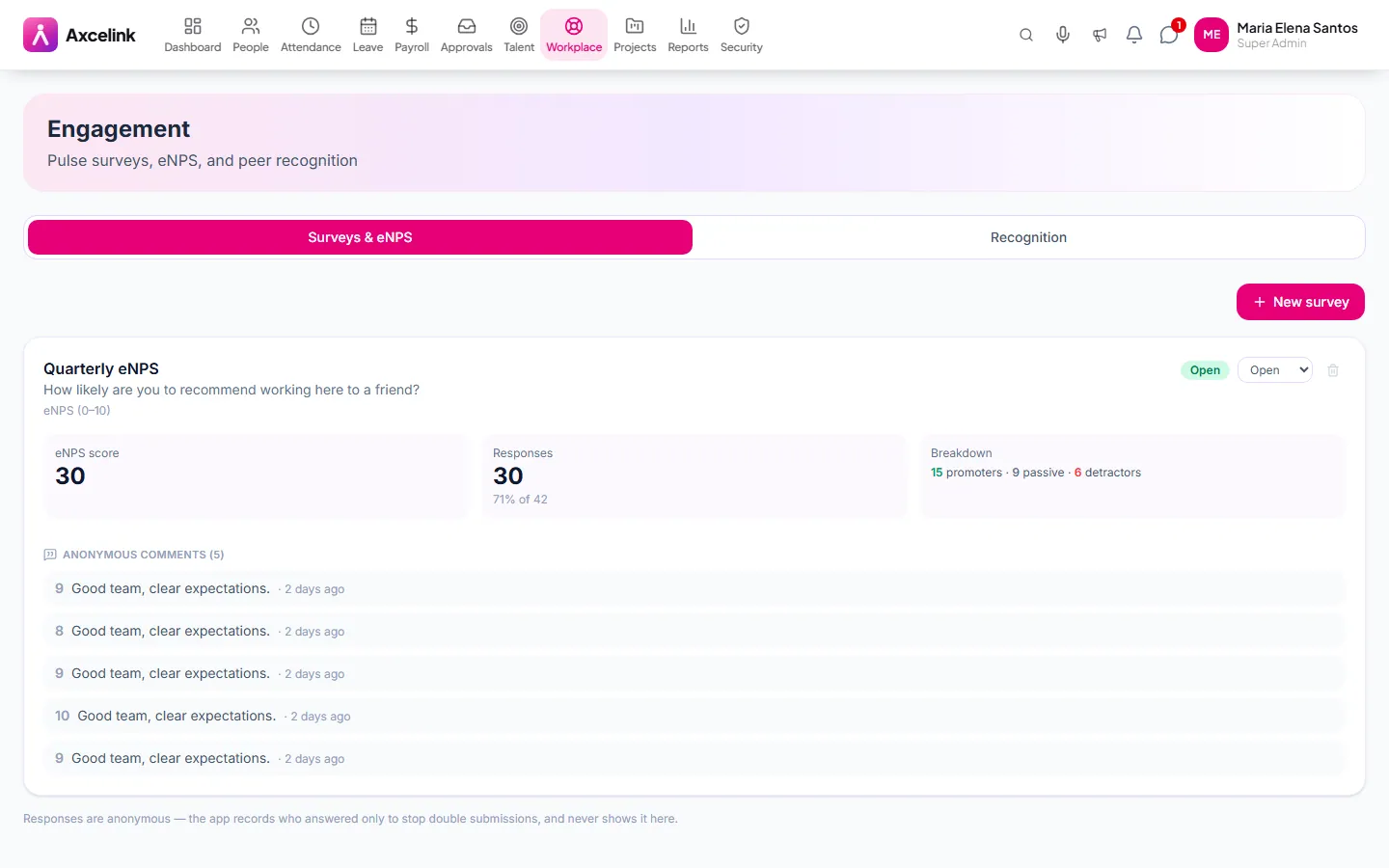
Every screen below is the real one, photographed from a working tenant, with the route it lives at so you can go straight to it.
- 01
Ask, and watch the direction
/admin/engagementeNPS and survey results by period. A single score says little; three periods beside each other say whether something you changed worked.
What it does
- Anonymous pulse surveys on a schedule
- eNPS scoring tracked over time
- Results by department, without identifying respondents
- Peer recognition and kudos
- Trend reporting across periods
- Participation tracking without breaking anonymity
Where to find it
Administrators
- /admin/engagement
What staff see
- /employee/engagement
How it connects to the rest
Nothing below is an integration to switch on. These are the same records, read and written by more than one module.
Comes from
Engagement & eNPSthis module
Feeds into
Looking for what this replaces and why it matters? See the Engagement & eNPS overview.