Time & Pay
Shifts, Roster & Holidays
A punch is only late relative to a shift. Shifts, rest days, work sites and the Philippine holiday calendar are what turn raw timestamps into hours that can be paid.
How it is used
Define shifts once and assign them on the roster. Work sites carry the geofence that decides whether a punch counts as on-site.
How it works, screen by screen
Every screen below is the real one, photographed from a working tenant, with the route it lives at so you can go straight to it.
- 01
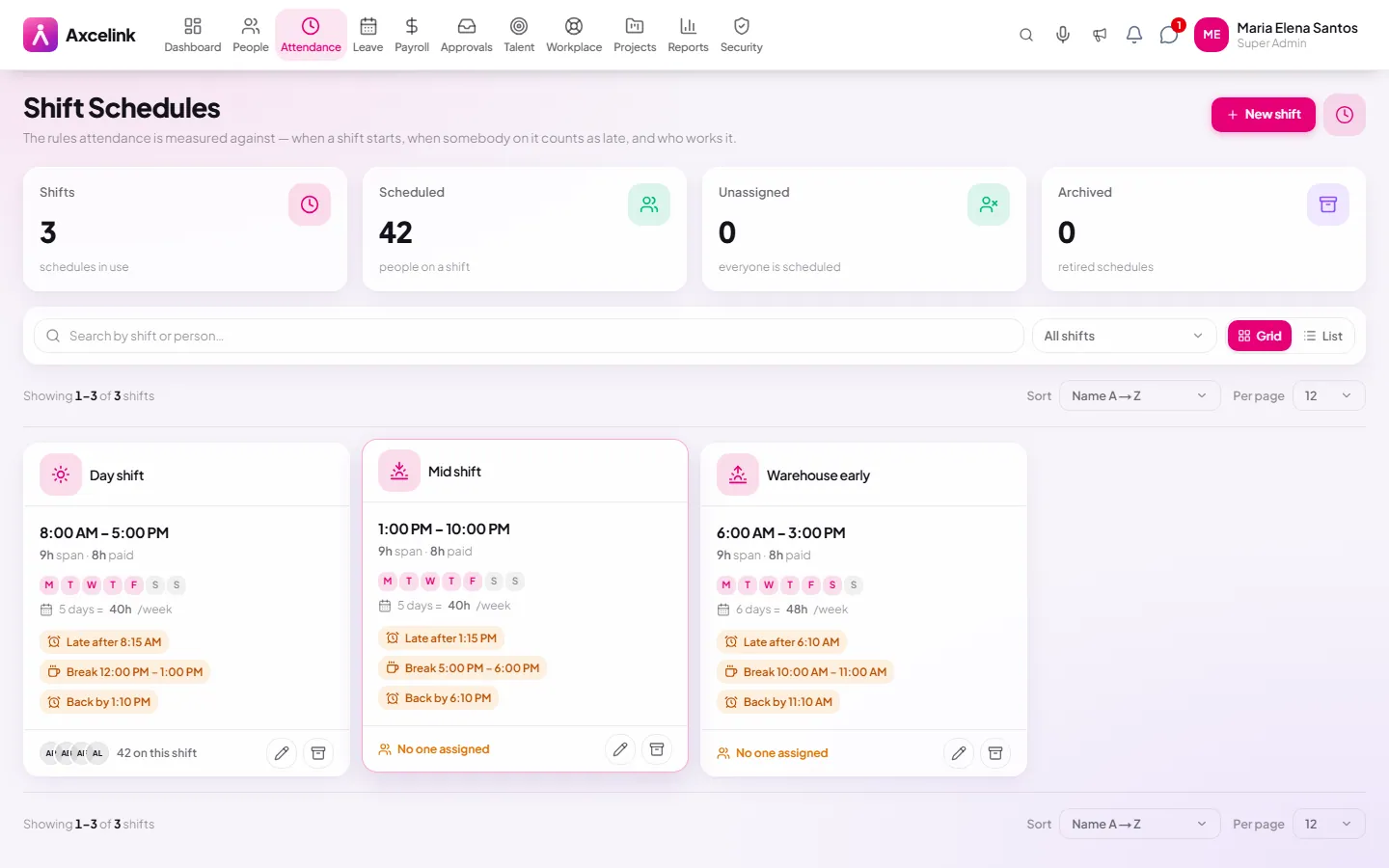
Define the shift once
/admin/attendance/shiftsStart, end, break and the days it runs. Attendance measures late, undertime and night differential against this definition, which is why the numbers stop being arguable.
- 02
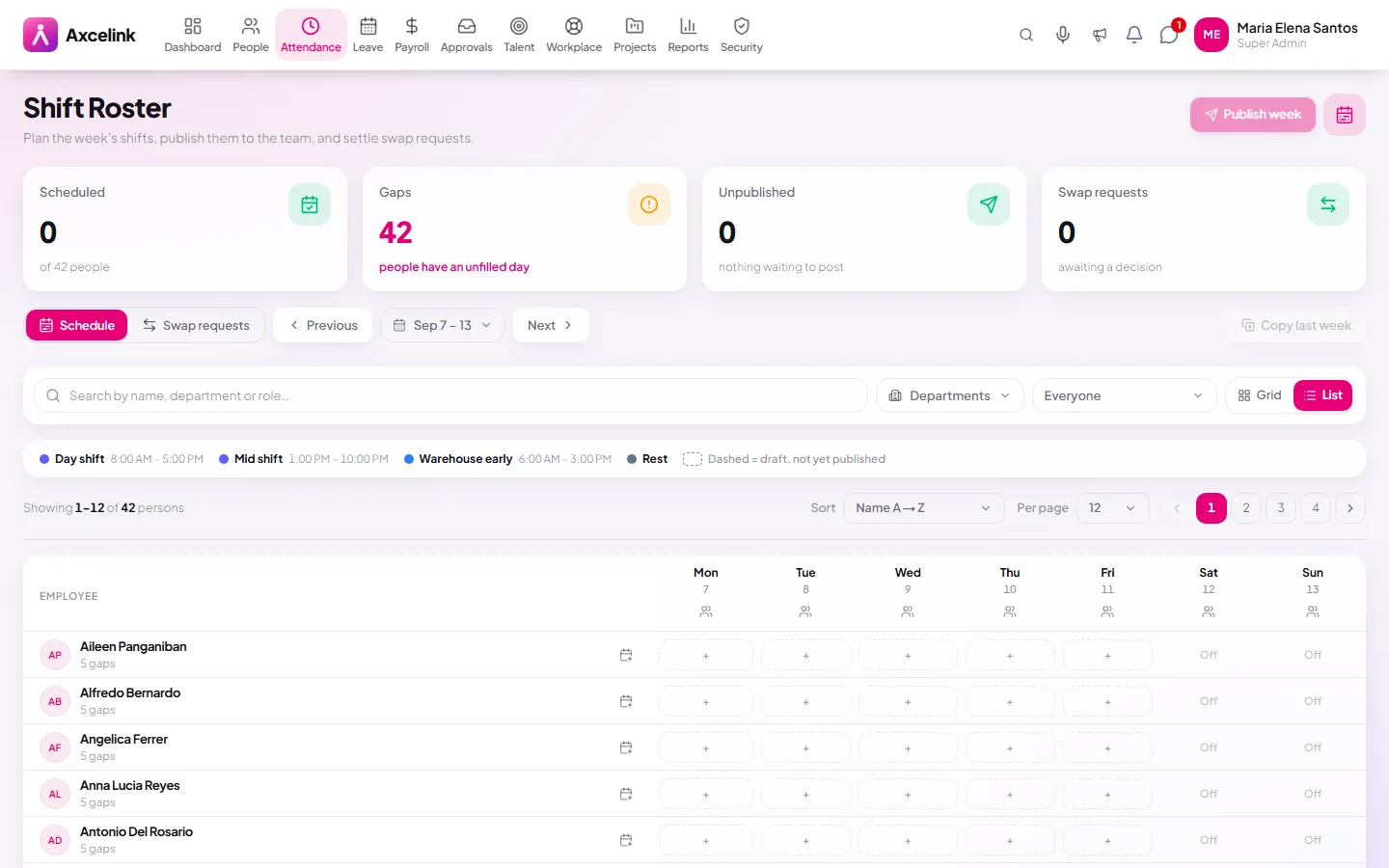
Assign the week
/admin/attendance/rosterThe roster grid puts people on shifts across the week, and the employee sees their own row of it on the phone. Work sites carry the geofence that decides whether a punch counts as on-site.
- 03
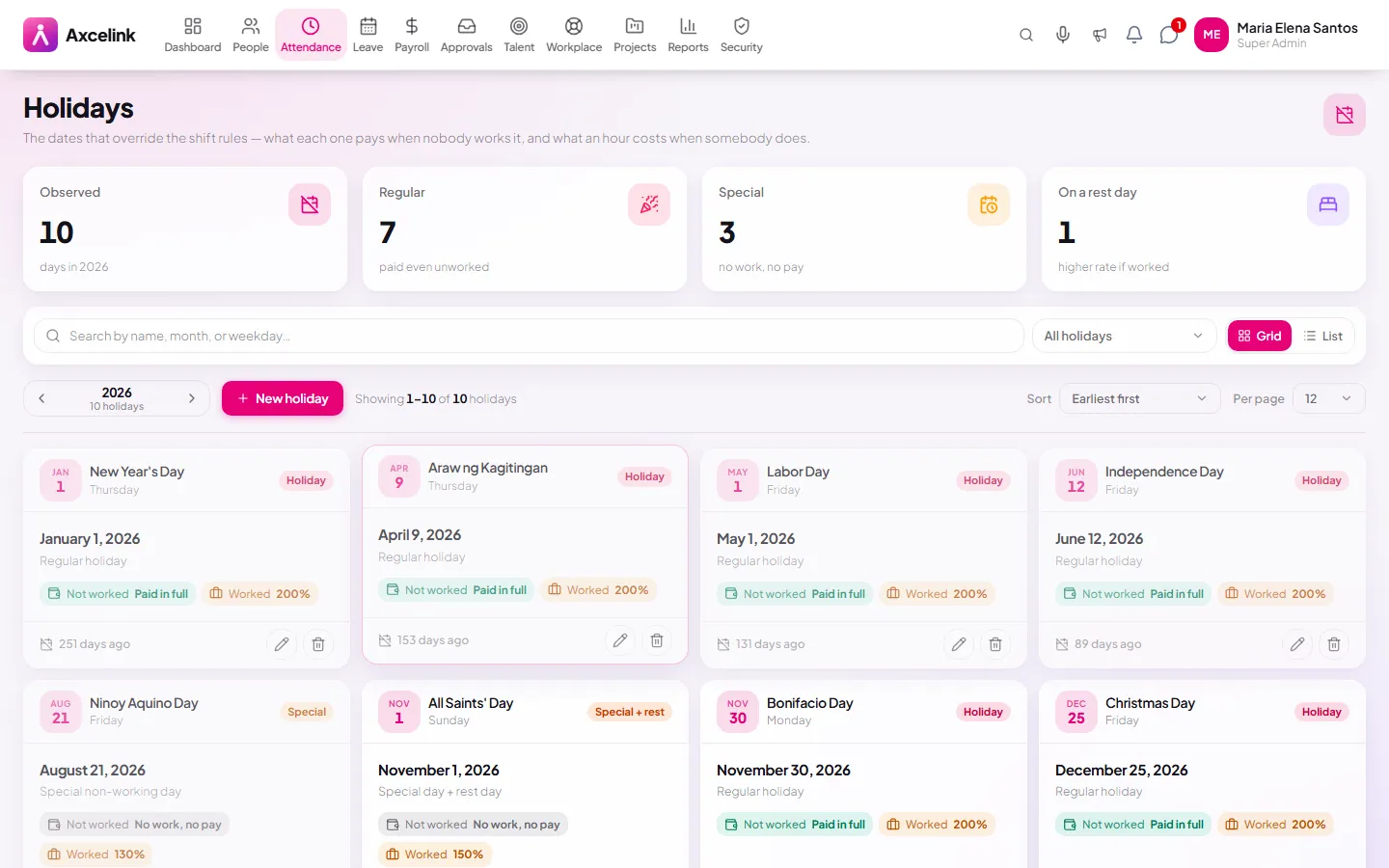
Holidays are already loaded
/admin/attendance/holidaysRegular and special non-working days sit on the calendar, so holiday premium is computed from the date rather than remembered by whoever runs payroll.
What it does
- Shift definitions with per-shift work days and break rules
- Roster assignment across teams and periods
- Rest days per employee, driving premium pay
- Philippine regular and special non-working holidays
- Work sites with their own schedules
- Night differential and premium windows
Where to find it
Administrators
- /admin/attendance/shifts
- /admin/attendance/roster
- /admin/attendance/worksites
- /admin/attendance/holidays
What staff see
- /employee/attendance
How it connects to the rest
Nothing below is an integration to switch on. These are the same records, read and written by more than one module.
Comes from
Feeds into
Looking for what this replaces and why it matters? See the Shifts, Roster & Holidays overview.