Work & Platform
Projects & Tasks
Projects run on the same employee record as leave and attendance, so workload knows who is on leave next week without being told twice.
How it is used
Tasks against people who already exist in the 201 file, which is what lets workload read against real headcount rather than a separate list of names.
How it works, screen by screen
Every screen below is the real one, photographed from a working tenant, with the route it lives at so you can go straight to it.
- 01
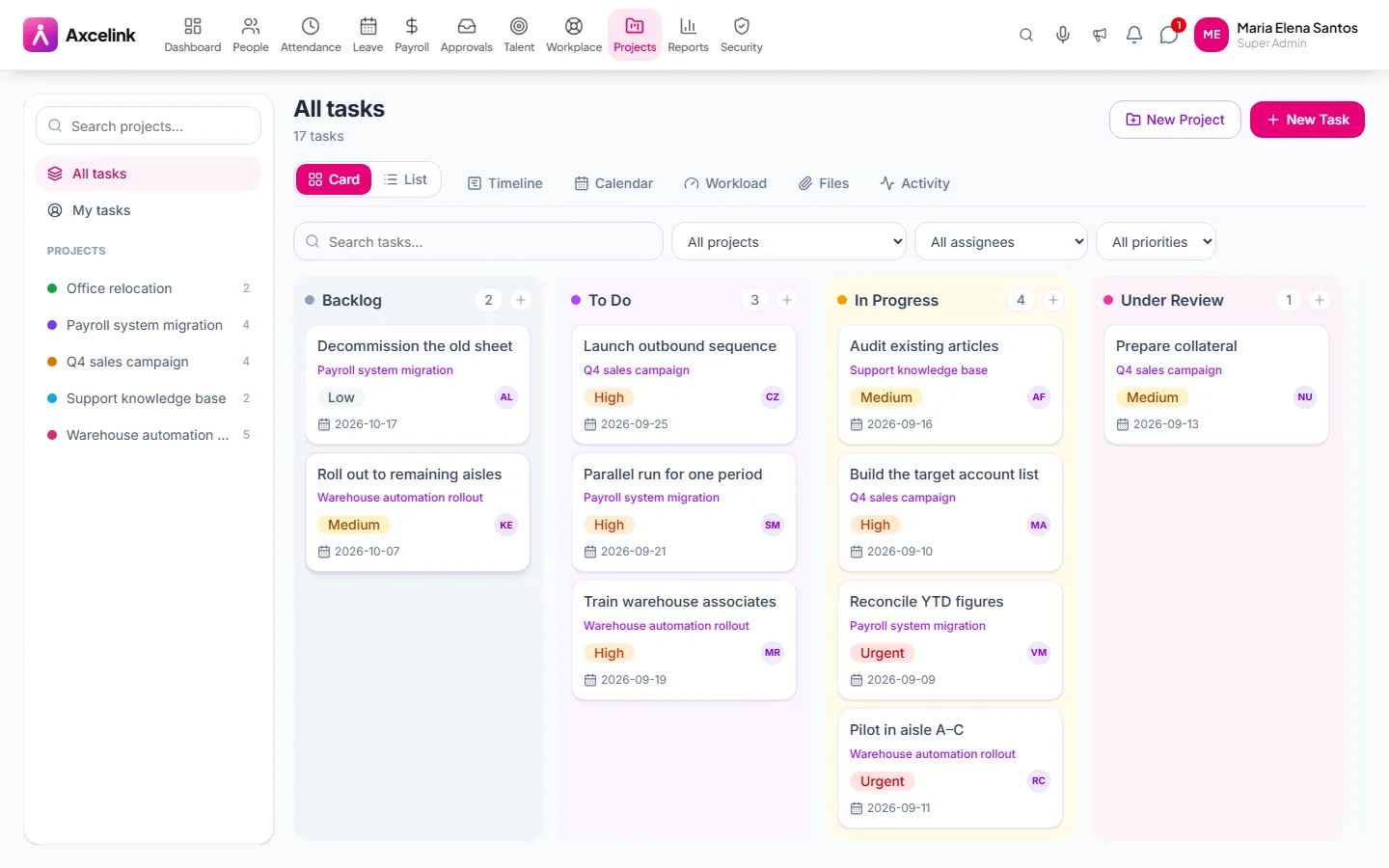
Work the board
/admin/projectsTasks in columns by status, with assignee and due date on the card. Completion here is what the performance module later reads.
- 02
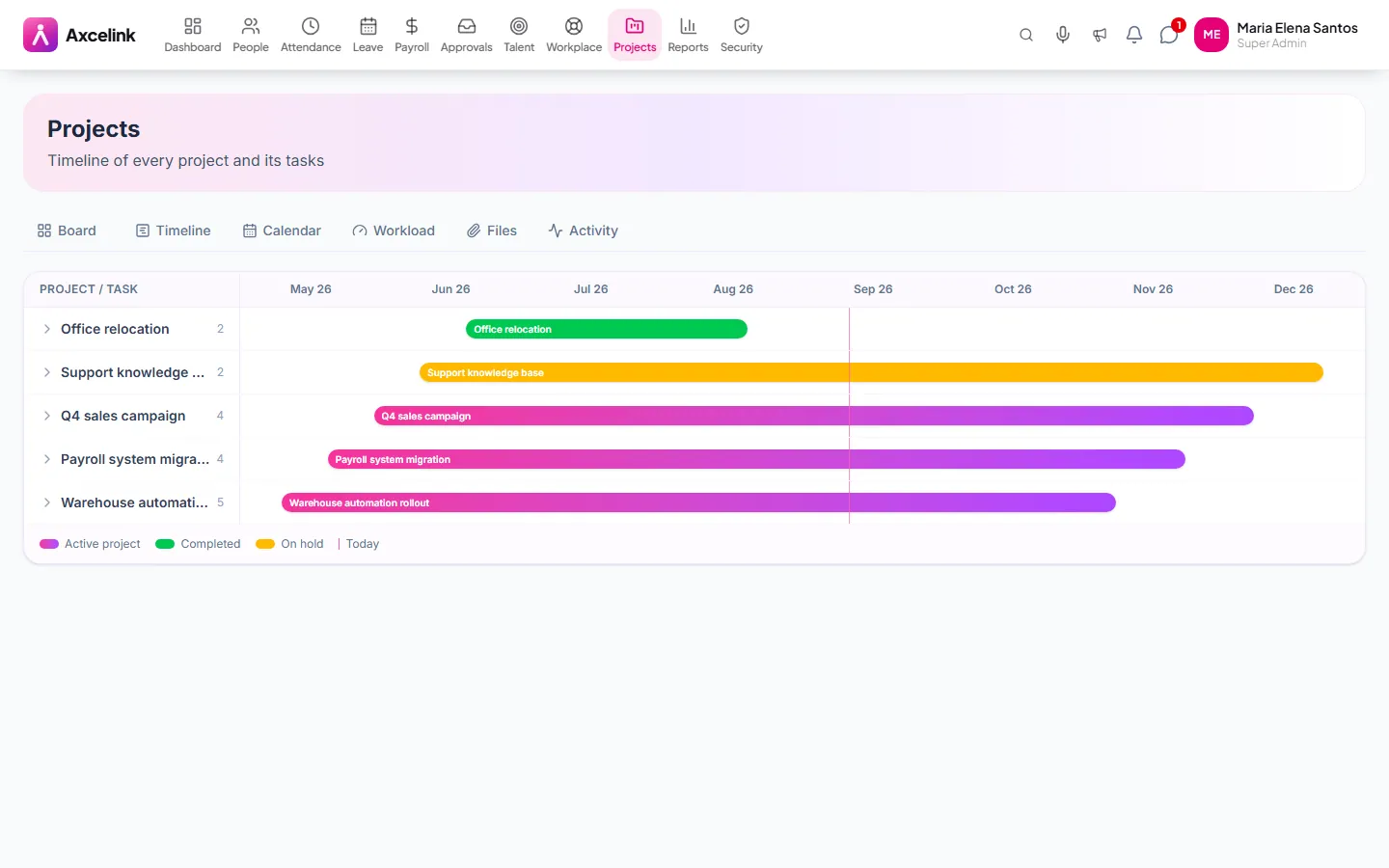
See the dates collide
/admin/projects/timelineThe same tasks laid across dates. Two deadlines landing on one person is obvious on this view and invisible on the board.
- 03
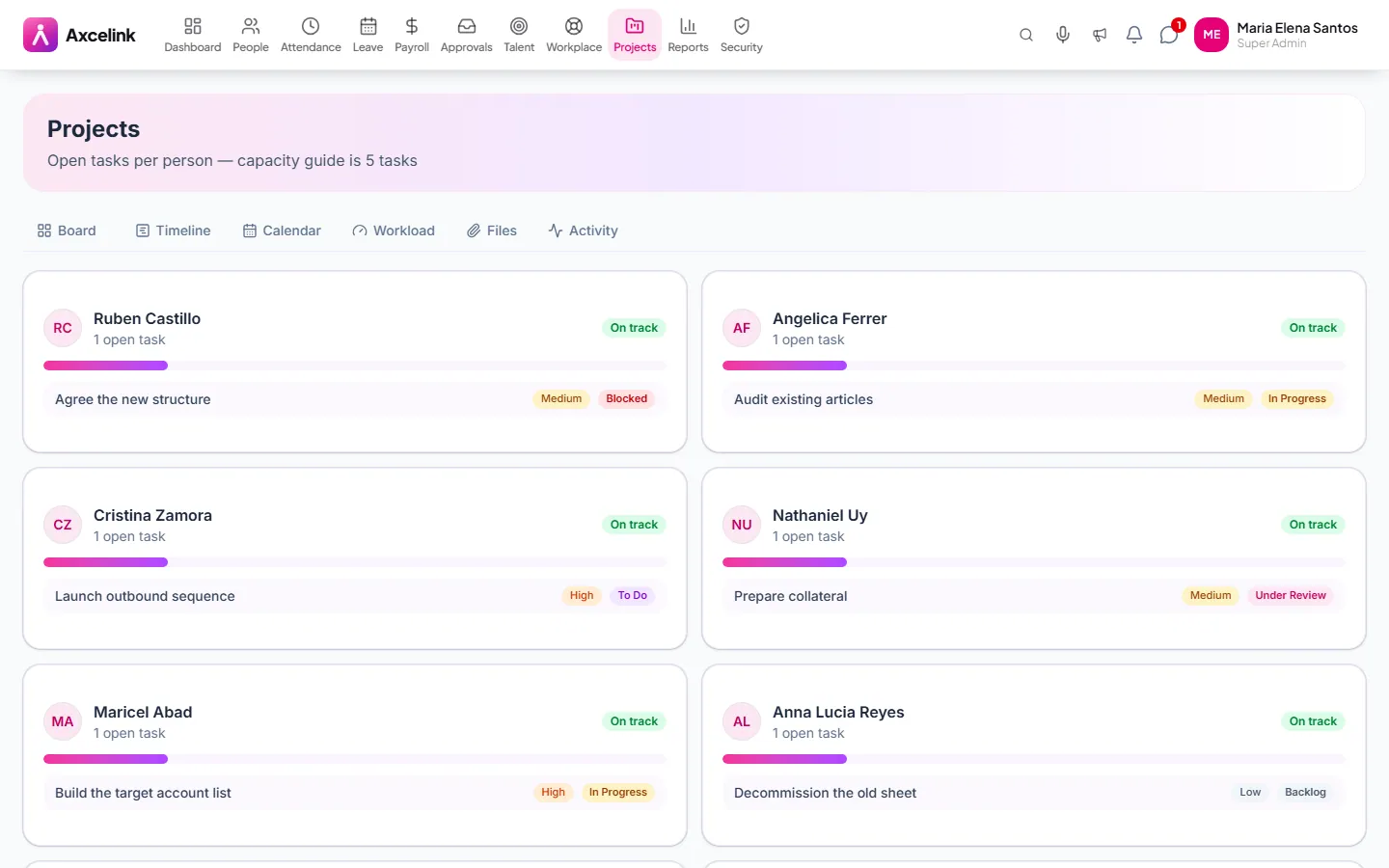
Balance the load
/admin/projects/workloadOpen work per team member, so it can be moved before somebody quietly drowns in it.
What it does
- Kanban boards with a project rail, plus a list view
- Tasks with subtasks, comments and @mentions
- Calendar and timeline views of the same work
- Workload view across the team
- Project files and an activity trail
- Assignments land on the board instantly, with a notification
Where to find it
Administrators
- /admin/projects
- /admin/projects/timeline
- /admin/projects/calendar
- /admin/projects/workload
- /admin/projects/files
- /admin/projects/activity
What staff see
- /employee/projects
- /employee/projects/timeline
- /employee/projects/calendar
- /employee/projects/workload
How it connects to the rest
Nothing below is an integration to switch on. These are the same records, read and written by more than one module.
Comes from
Feeds into
Looking for what this replaces and why it matters? See the Projects & Tasks overview.