Time & Pay
Philippine Payroll
The cutoff is not rebuilt by hand. Hours come from attendance, absences from leave, deductions from loans and benefits — payroll is the arithmetic on top, with the statutory tables applied.
How it is used
Runs from approved timesheets, approved leave and the compensation on each 201 file. Payslips are visible to the employee the moment the run is finalised.
How it works, screen by screen
Every screen below is the real one, photographed from a working tenant, with the route it lives at so you can go straight to it.
- 01
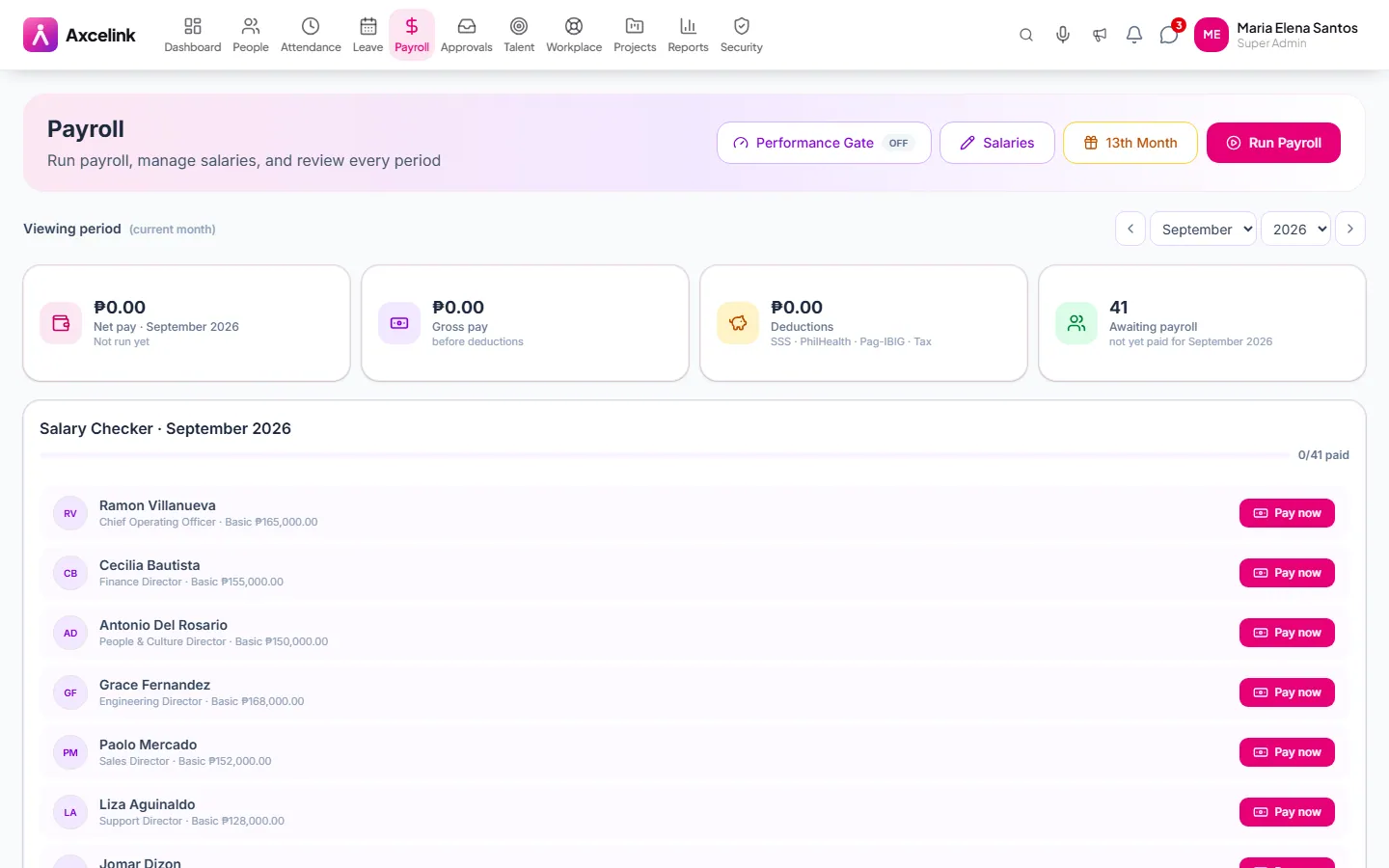
Run the cutoff
/admin/payrollGross, deductions and net for the period, assembled from approved timesheets, approved leave and the compensation on each 201 file. Nothing here is typed in by hand.
- 02
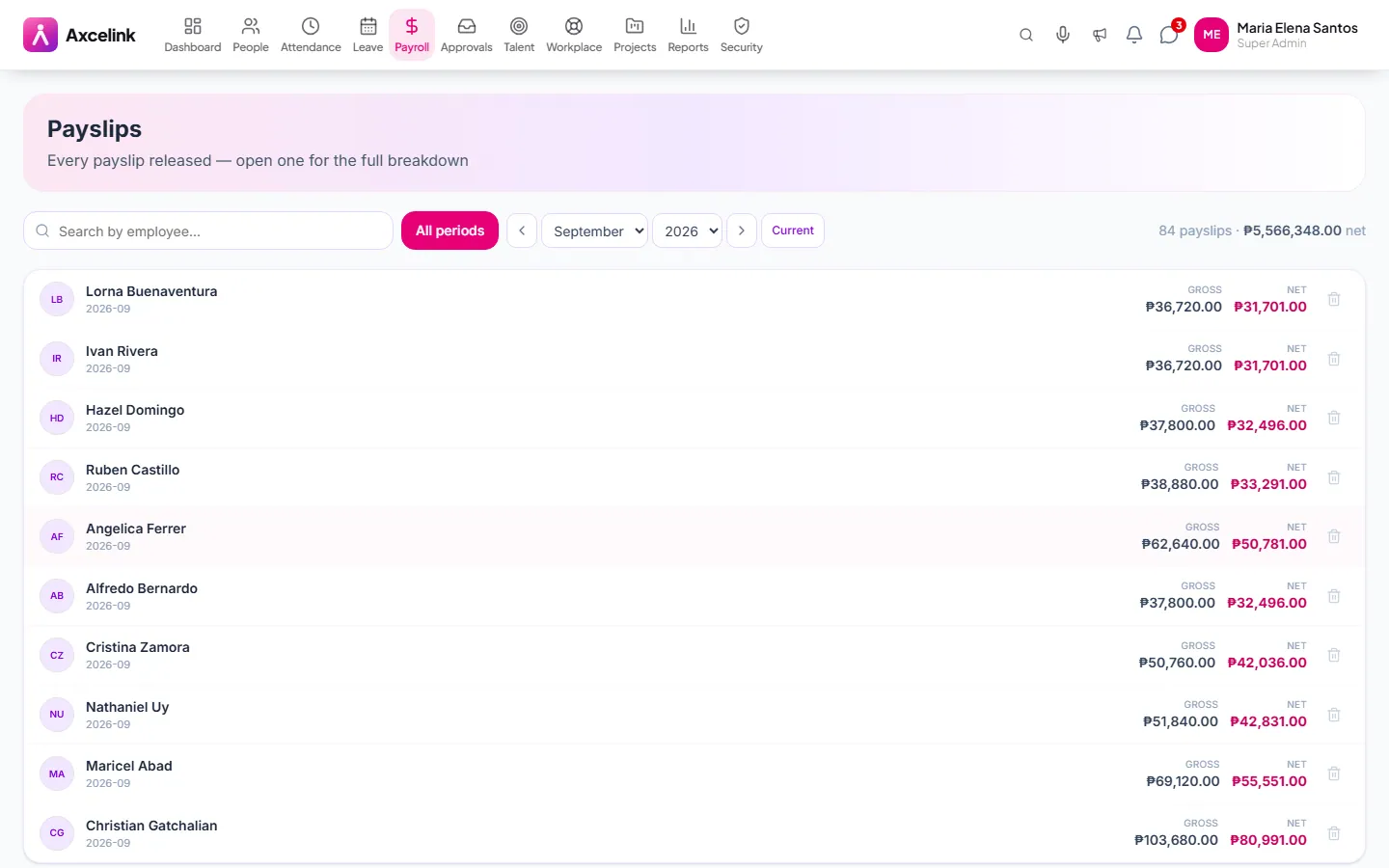
Every figure has a source
/admin/payroll/payslipsBasic, overtime, night differential and holiday premium against SSS, PhilHealth, Pag-IBIG and withholding tax — each line traced to the module that held its input. The employee sees this the moment the run is finalised.
- 03
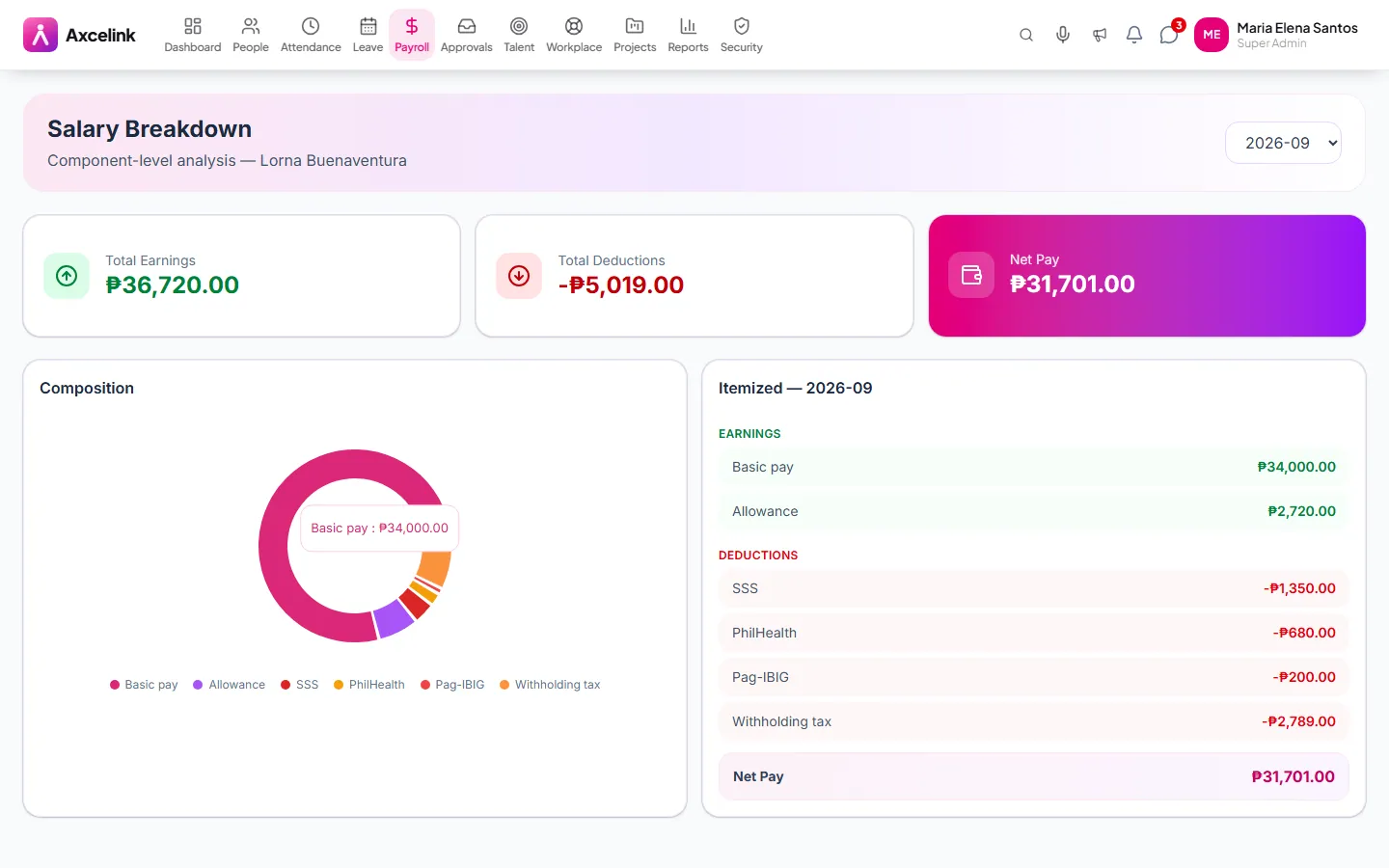
See both shares
/admin/payroll/salary-breakdownEmployee and employer contributions side by side. This is the view the statutory reports are built from, so what you check here is what gets filed.
What it does
- Philippine statutory computation — SSS, PhilHealth, Pag-IBIG, withholding tax
- 13th month pay and final pay
- Semi-monthly and monthly cutoffs
- Payslips generated and delivered to employees
- Salary breakdown by earnings, deductions and employer share
- Loan amortisation and benefit deductions applied automatically
- Payroll register per period, locked once released
Where to find it
Administrators
- /admin/payroll
- /admin/payroll/payslips
- /admin/payroll/salary-breakdown
What staff see
- /employee/payroll
- /employee/payroll/payslips
How it connects to the rest
Nothing below is an integration to switch on. These are the same records, read and written by more than one module.
Comes from
Feeds into
Looking for what this replaces and why it matters? See the Philippine Payroll overview.