Time & Pay
Loans & Benefits
Company and government loans amortise across cutoffs, and benefit enrolments carry their own deduction — both arrive at payroll without anyone re-entering them.
How it is used
Loan amortisations and benefit deductions are picked up by the payroll run, so a schedule set once keeps applying without anybody remembering it each cutoff.
How it works, screen by screen
Every screen below is the real one, photographed from a working tenant, with the route it lives at so you can go straight to it.
- 01
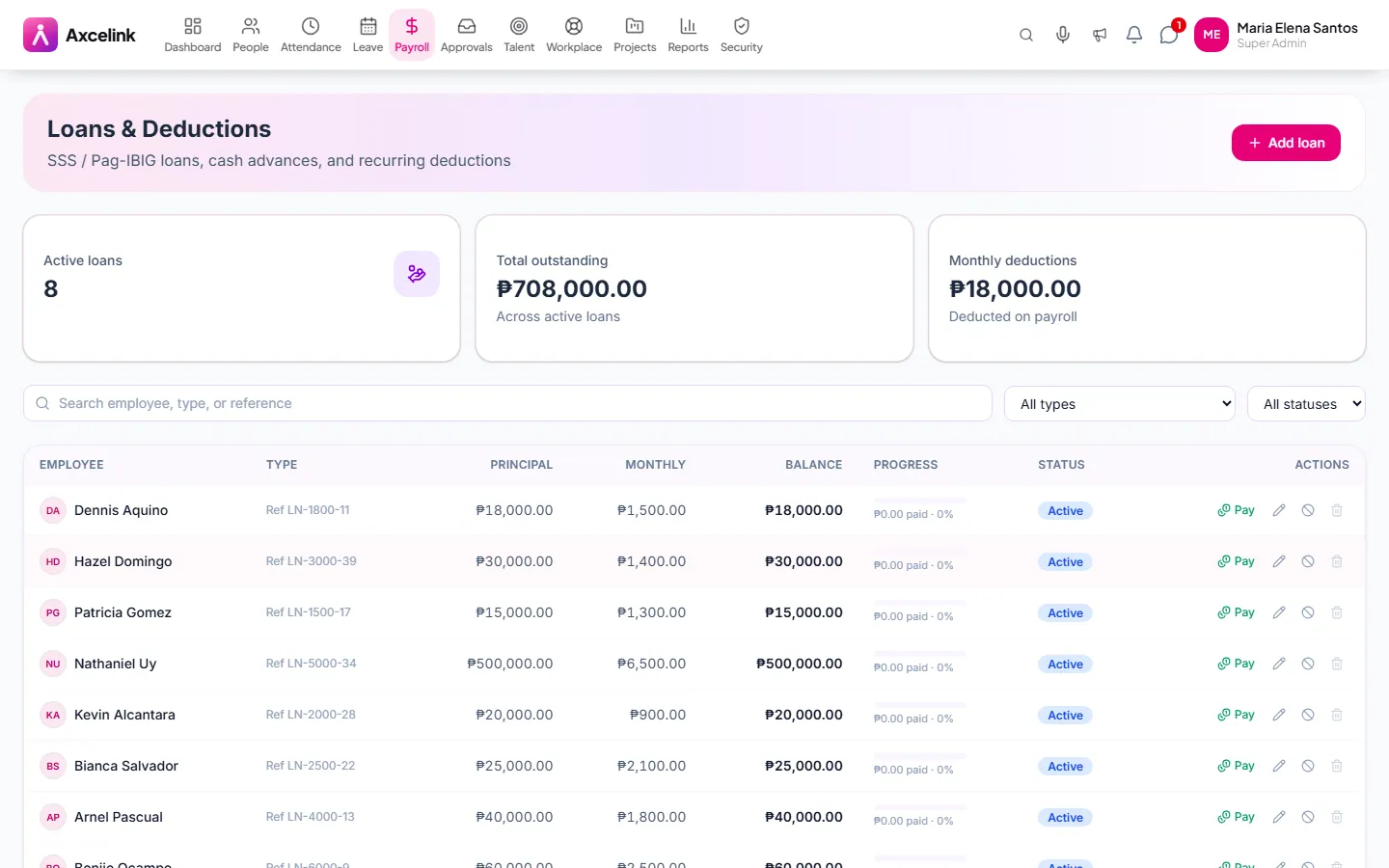
Schedule the deduction once
/admin/loansAn amortisation entered here is picked up by every payroll run until the balance clears. Nobody re-enters it each cutoff, and nobody forgets the last instalment.
- 02
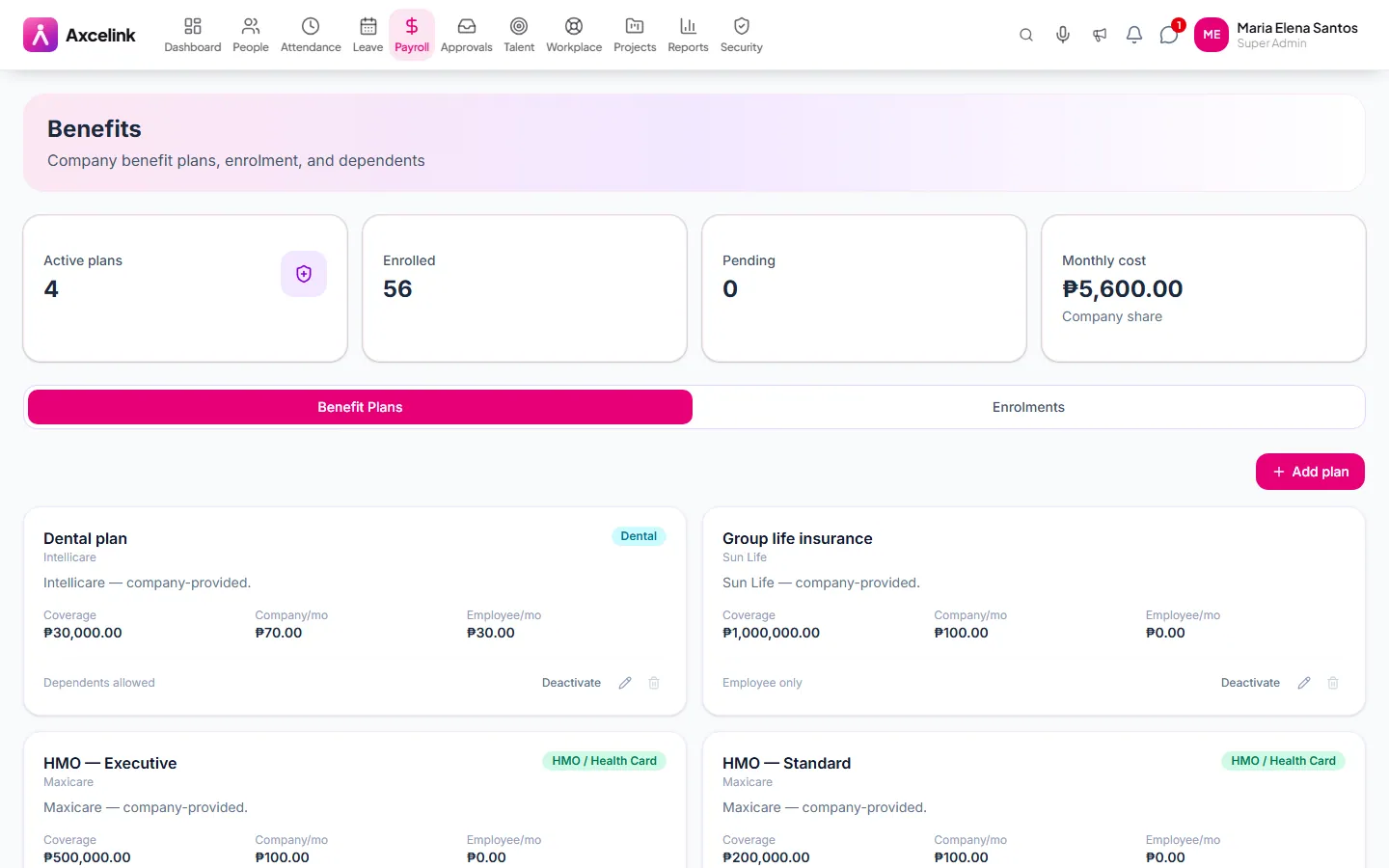
Enrol, and the deduction follows
/admin/benefitsBenefit plans carry their contribution shares, and enrolment is what payroll reads — so changing who is enrolled is already changing the payroll.
What it does
- Company and government loan records with terms
- Automatic amortisation across pay periods
- Live outstanding balance per loan
- Benefit plans with employee and employer shares
- Enrolment and dependant management
- Employee self-service view of loans and benefits
Where to find it
Administrators
- /admin/loans
- /admin/benefits
- /admin/expenses
What staff see
- /employee/loans
- /employee/benefits
- /employee/expenses
How it connects to the rest
Nothing below is an integration to switch on. These are the same records, read and written by more than one module.
Comes from
Feeds into
Looking for what this replaces and why it matters? See the Loans & Benefits overview.